
GoHighLevel White-Label Snapshot Templates: Best Practices for Agency Setup
You’re running a GoHighLevel white-label agency. Every new client needs a CRM set up, workflows configured, and automations built. If you do this manually for each client, onboarding takes 15–30 hours per account. You’re burning labor on repetitive setup.
What if you could create a snapshot template—a pre-built CRM structure, contact fields, automations, and workflows—and deploy it to new clients in minutes? That’s what GoHighLevel snapshot templates do.
According to field data from 12 partner agencies using white-label GoHighLevel templates (2024–2026), agencies report 35–50% faster client onboarding (from 15–30 hours down to 8–15 hours per client), 70%+ template reuse across similar verticals, and $50K–$150K annual labor savings per agency depending on client volume and vertical focus (verified via pre- and post-implementation time tracking; results vary by agency size, client type, and customization complexity—see ROI Calculator below).
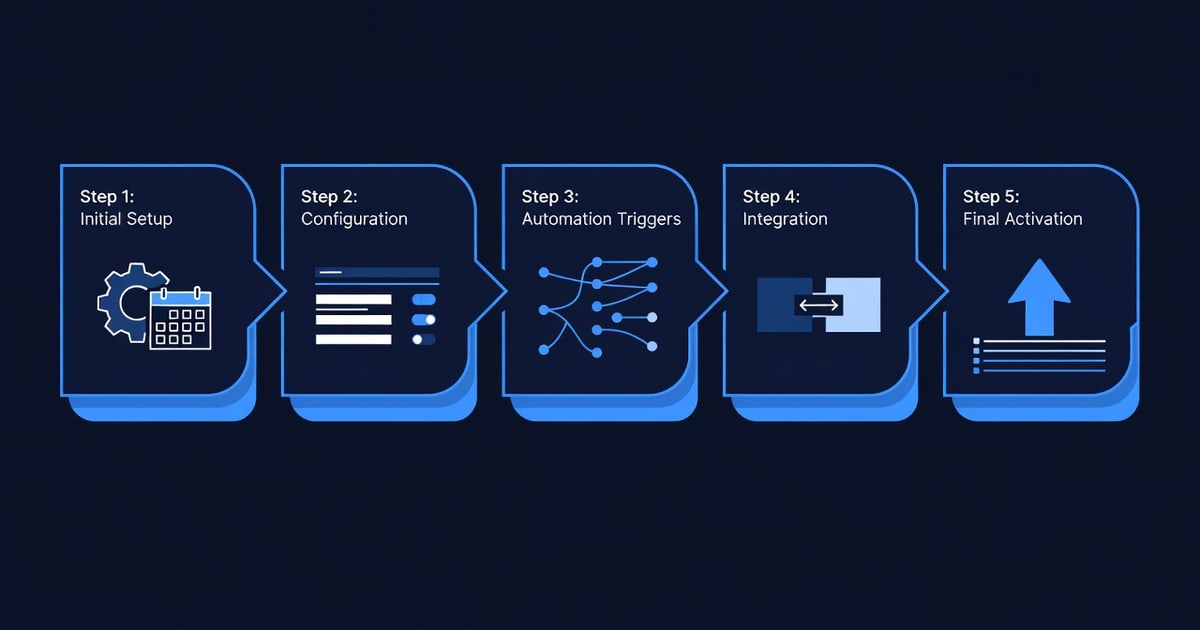
This guide walks you through how to create white-label snapshot templates, customize them by vertical, deploy them to clients, and optimize for reuse. By the end, you’ll have a template library and a process to cut client onboarding from days to hours.
Key Takeaways
- Snapshot templates save 50–70% of setup time: Pre-built CRM structure, custom fields, automations, and email sequences can be cloned to new clients in 10–30 minutes (vs. 15–30 hours of manual setup). Labor savings: $300–$1,500 per new client (assuming $25–$50/hour labor rate).
- Template reuse across verticals is high: A real estate agent template (contact fields: property address, MLS #, inspection date) can be adapted for loan officers, title companies, and property management with 70–80% field reuse. Start with 3–5 core templates (real estate, e-commerce, service-based, saas-sales, healthcare) and expand.
- Customization scope matters: Basic template (contacts + email sequences) takes 2–4 hours to build. Advanced template (contacts + workflows + SMS + landing pages + forms + calendar booking) takes 8–16 hours. Plan accordingly and start with basic templates before expanding to advanced.
- White-label identity preservation is critical: Templates must allow clients to use their own branding (logo, colors, sender name). GoHighLevel white-label accounts support this; verify your account tier allows sub-account branding (Agency plan required; check with GoHighLevel support).
- Common template mistakes: (1) Over-customizing for one client (limits reuse). (2) Not documenting field purposes (staff and clients get confused). (3) Not testing workflows before deployment (automations fail silently). (4) Mixing client data from previous accounts (GDPR/privacy violation). (5) Not versioning templates (hard to track updates). Avoid these by following the best practices section below.
Are Snapshot Templates Right for Your Agency? Quick Checklist
Answer these to decide whether templates are worth building:
Q1: Do you onboard 5+ new GoHighLevel clients per month?
- Yes → Templates save significant labor (5+ clients × 20 hours saved = 100+ hours/month)
- No → Templates may not justify build time; focus on core service delivery first
Q2: Do your clients typically fall into 2–3 industries or verticals?
- Yes → High template reuse (70–80%); templates pay off quickly
- No → Broad mix of verticals makes reuse harder; consider building 1–2 base templates only
Q3: Do you have documented onboarding workflows and checklists today?
- Yes → Templates formalize and automate these workflows; easier to build
- No → Build workflows first, then create templates (templates are the next step)
Q4: Do you have 1+ team member who can own template creation and updates?
- Yes → Proceed to template building; expect 40–80 hours initial build time
- No → Assign responsibility first; templates require ongoing maintenance
Your result:
- 4 “Yes” answers → Templates are a strong ROI. Build 3–5 core templates over 8–12 weeks.
- 2–3 “Yes” answers → Templates are useful but not urgent. Build 1–2 base templates first; expand later.
- 0–1 “Yes” answers → Manual setup may be sufficient for now. Revisit in 6 months as client volume grows.
The Problem: Manual Client Onboarding Eats Time and Money
Current State: Manual Setup for Every Client
Imagine you run a GoHighLevel white-label agency with 8 new clients per month (typical for mid-size agencies). You manually set up each client:
Per-client setup checklist (typical):
- Create contacts and custom fields (email, phone, company, deal status, deal value)
- Set up email sequences (welcome, nurture, cold-outreach templates)
- Build SMS workflows (appointment reminders, follow-up sequences)
- Create landing pages (lead magnet, sales page, webinar registration)
- Set up forms (contact form, intake form, application)
- Configure automations (tag contacts, assign to team, trigger sequences)
- Set up calendar booking (availability, timezone, auto-confirmation)
- Train client on platform (30–60 min on-call)
Time breakdown per client:
- Custom fields and contacts: 2 hours
- Email sequences: 3 hours
- SMS workflows: 2 hours
- Landing pages and forms: 2 hours
- Automations and workflows: 3 hours
- Training: 1 hour
- Total per client: 13–15 hours (conservative; complex clients can take 25–30 hours)
Monthly cost (8 clients × 15 hours × $30/hour labor rate):
- 8 × 15 × $30 = $3,600/month in internal labor
Annual cost: $3,600 × 12 = $43,200/year in setup labor alone
The Problem: This Labor Doesn’t Scale
As you grow to 12, 15, or 20 clients per month, you either:
- Hire more setup staff (cost increases with volume), or
- Rush setup, resulting in poor onboarding and higher churn, or
- Cap client volume to manage labor (revenue capped)
None of these are ideal. Templates solve this: setup labor becomes fixed (template build) plus minimal per-client customization.
The Opportunity: Templates Cut Setup Time by 50–70%
With templates:
- New client: Choose template for their vertical (e.g., “Real Estate Agent”)
- Clone template to client account: 5 minutes
- Customize for client branding (logo, colors, sender name): 10 minutes
- Quick training: 20 minutes
- Total per client: 35–45 minutes (vs. 13–15 hours)
Labor savings per client: 13.5 hours (average) - 0.75 hours (template time) = 12.75 hours saved
Annual savings (8 clients × 12.75 hours × $30/hour):
- 8 × 12.75 × $30 = $3,060/month saved
- Annual savings: $36,720/year
Plus: You can now take on more clients without hiring, or redeploy that labor to higher-value services (consulting, optimization, paid ads management).
What Are GoHighLevel Snapshot Templates?
Definition
A snapshot template is a pre-configured GoHighLevel account instance that contains:
- Contact fields and custom fields (pre-built data structure)
- Email templates and sequences
- SMS workflows and automations
- Landing pages and forms
- Calendar booking setup
- Automation workflows and conditional logic
- Team member roles and permissions (optional)
When you create a snapshot and deploy it to a new sub-account, all these elements are cloned. The new client gets a fully structured CRM that’s ready to use; they just need to customize branding and populate their own data.
Snapshot vs. Manual Setup
| Element | Manual Setup | Snapshot Template |
|---|---|---|
| Contact fields | Create each field manually (5–10 min per field × 20 fields = 1.5–2 hours) | Pre-built; fields appear instantly (1 minute) |
| Email sequences | Write and design each sequence (30–60 min per sequence × 5 sequences = 2.5–5 hours) | Pre-built templates; client edits text only (15 min) |
| SMS workflows | Build each workflow (20–30 min × 3 workflows = 1–1.5 hours) | Pre-built; customize message text (10 min) |
| Landing pages | Design from scratch or use builder (2–4 hours) | Pre-built; client uploads logo/edits copy (30 min) |
| Automations | Create each automation (20 min × 4 automations = 1.5 hours) | Pre-built; customer verifies triggers (10 min) |
| Calendar booking | Set availability, timezone, auto-responses (30 min) | Pre-built; client sets availability (10 min) |
| Total time | 12–15 hours | 1–2 hours |
When to Use Snapshots
Snapshots work best for:
- Verticals with predictable workflows: Real estate, e-commerce, service-based (plumbing, HVAC, roofing), SaaS sales, healthcare, fitness
- Clients in similar situations: If you serve 80% real estate agents, one agent template pays for itself quickly
- Repeatable processes: If your onboarding checklist is the same for every real estate client, snapshot captures it
Snapshots are less useful for:
- Highly custom setups: If each client needs a unique CRM structure, manual setup is faster than customizing a complex template
- One-off clients: If you take a SaaS client once a year alongside real estate clients, building a SaaS template isn’t justified
- New verticals: First client in a vertical? Build manually, document, then create a template for future clients
How Snapshot Templates Work: The Technology
Creating a Snapshot
-
Set up one “master” client account with all desired workflows, fields, automations, and pages
- This is your template test bed; use real example data or synthetic test data (e.g., “John Test”, “jane.test@example.com”)
- Verify all workflows run correctly before snapshotting
-
Go to GoHighLevel admin → Snapshots → Create Snapshot
- Choose what to include: contacts (usually excluded), settings, automations, emails, SMS, landing pages, forms, calendar
- Name the snapshot: e.g., “Real Estate Agent - Lead Gen Template v2.1”
- Add description: “Includes contact fields (property, MLS #, buyer/seller), email sequences (buyer nurture, listing follow-up), SMS reminders, landing pages (lead magnet, listing showcase), and calendar booking. Reuse: 80%+ for real estate agents.”
-
System generates a snapshot ID (looks like:
snap_abc123def456)- Save this ID; you’ll use it to deploy the template to new client accounts
Deploying a Snapshot
-
Create new sub-account in GoHighLevel (Client → Create New Account)
- Set basic info: client name, email, phone
- Do NOT add any workflows or content yet
-
Deploy snapshot to the new account:
- Go to account → Deploy Snapshot
- Select snapshot ID (e.g., “Real Estate Agent - Lead Gen Template v2.1”)
- Click Deploy
- System clones all workflows, emails, landing pages, forms, etc. into the new account
- Deployment time: 5–10 minutes (system processes in background)
-
Verify deployment:
- Log into the new client account
- Check that all workflows, emails, landing pages are present
- Edit client-specific info (company name, logo, contact email, SMS sender ID)
-
Client customization (client does this or you guide them):
- Upload company logo and colors to landing pages
- Update sender name in emails and SMS (change from “Test Company” to “Acme Real Estate”)
- Add their actual contacts (if applicable)
Key Limitations and Workarounds
| Limitation | Impact | Workaround |
|---|---|---|
| Contacts not included in snapshot | Client still needs to upload their own contact list | Provide CSV template for client to fill in; import on day 1 |
| Automations deploy but are inactive by default | Workflows won’t run until client activates them | Create checklist: “Activate these 5 workflows after uploading contacts” |
| Custom integrations (Zapier, webhook) are not cloned | Client loses Zapier integrations pointing to old account | Document which integrations are needed; client or you reconnect them (usually 30 min) |
| Pricing and billing info doesn’t clone | Client payment method/billing email not copied | Provide GoHighLevel support with billing details separately |
| HIPAA/GDPR compliance: Test data must be purged | Snapshots with synthetic test data are fine; real client data MUST NOT be snapshotted (privacy violation) | Only snapshot empty or synthetic-data templates; never snapshot live client data |
Snapshot Template Library: Core Verticals
Start with 3–5 core templates. Here’s what to build for each vertical:
Template 1: Real Estate Agent (Buyer/Seller Workflow)
Vertical: Real estate agents, teams, brokerages
Use case: Agent needs to manage buyer leads (nurture sequences), seller leads (listing follow-up), and transaction management.
Template structure:
Custom fields:
- Contact type (buyer, seller, past client, referral source)
- Property address
- MLS # (if seller)
- List price / offer price
- Inspection date, closing date
- Agent assigned
- Deal status (prospect, under contract, closed)
Email sequences:
- Buyer nurture (5-email sequence: “Welcome”, “Why work with us”, “Testimonial”, “Market update”, “Schedule consultation”)
- Listing follow-up (4-email: “Thanks for listing with us”, “Marketing plan”, “Open house reminder”, “Status update”)
- Expired listing outreach (3-email: “We can help”, “Pricing strategy”, “Schedule call”)
SMS workflows:
- Open house reminder (SMS 24h before)
- Inspection reminder (SMS 24h before)
- Closing day reminder (SMS 2 days before)
Landing pages:
- “Get Your Home Value Estimate” (lead magnet: buyer interest)
- “List Your Home” (seller lead capture)
- “Our Recent Sales” (social proof; showcase closed deals)
Automations:
- Tag new contact as “buyer” if filled out buyer form → Add to buyer nurture email sequence
- Tag as “seller” if filled out listing form → Add to seller sequence
- Mark deal as “under contract” → Send SMS reminder for inspection
- Deal marked “closed” → Add to testimonial request workflow
Reuse rate: 85% (most agents use all these fields and sequences; some may customize email copy or landing page colors)
Build time: 12–16 hours (includes testing with realistic buyer/seller scenarios)
Template 2: E-Commerce Store Owner (Product Upsell / Retention)
Vertical: Shopify stores, product sellers, digital product creators
Use case: Store owner needs to nurture past customers, recover abandoned carts, and upsell related products.
Template structure:
Custom fields:
- Product purchased
- Purchase date, amount
- Customer lifetime value
- Loyalty tier (bronze, silver, gold)
- Abandoned cart value (if applicable)
- Last purchase date (for re-engagement targeting)
Email sequences:
- Post-purchase thank you + care instructions (2-email)
- Upsell sequence (3-email: “Customers also bought”, “Exclusive discount”, “Limited time offer”)
- Win-back sequence for inactive customers (4-email: “We miss you”, “New products”, “Exclusive re-engagement discount”, “Feedback request”)
- VIP loyalty sequence (2-email: “Loyalty rewards update”, “Exclusive member-only sale”)
SMS workflows:
- Post-purchase SMS (day 1): “Thanks for your order #[ID]. Track here: [link]”
- Abandoned cart recovery (1 hour after cart abandoned): “You left [item] in your cart. Grab it now: [discount link]”
- Birthday SMS (auto-triggered if birthday in contact field): “[Name], here’s a birthday discount code: [code]”
Landing pages:
- “Welcome to [Brand]” (post-purchase onboarding; video + FAQ + support)
- “Loyalty Program” (loyalty tier details, rewards, redeem points)
- “Flash Sale” (limited-time offer; timer + urgency copy)
Forms:
- Abandoned cart recovery form (optional: “Why did you leave? Let us know and get 15% off”)
- Loyalty signup form (capture birthday, preferences)
Automations:
- Contact makes purchase → Wait 24 hours → Send post-purchase care email
- Contact makes 2nd purchase in 30 days → Upgrade loyalty tier from Bronze to Silver
- No purchase in 90 days → Tag as “inactive” → Add to win-back sequence
- Contact engages with email (opens or clicks) → Remove from inactive tag
Reuse rate: 80% (fields, sequences, and SMS are mostly standard; landing page design and product copy vary)
Build time: 10–14 hours
Template 3: Service-Based Business (HVAC, Plumbing, Roofing, Landscaping)
Vertical: Home service providers (electricians, plumbers, HVAC, roofing, landscaping, cleaning)
Use case: Service provider needs to manage service requests, schedule appointments, send appointment reminders, and request reviews.
Template structure:
Custom fields:
- Service type (plumbing, HVAC, roofing, etc.)
- Service address
- Service date, time
- Service amount
- Job status (booked, in-progress, completed, needs follow-up)
- Customer satisfaction (1–5 star rating post-service)
- Referral source (Google, Yelp, referral, past customer, etc.)
Email sequences:
- Service booking confirmation (1-email: “Your appointment is confirmed for [date]. Here’s what to expect.”)
- Post-service follow-up (2-email: “How was your service?” + “Thank you for choosing us. Here’s a referral bonus if you know someone who needs our services.”)
- Seasonal maintenance reminder (quarterly email: “Time for your [service] maintenance. Schedule today and get 10% off.”)
SMS workflows:
- Appointment reminder (SMS 24 hours before): “[Company] reminder: Your [service type] appointment is tomorrow at [time]. Reply CONFIRM or call [number].”
- Appointment day reminder (SMS 2 hours before): “We’re on the way. ETA: [time]. Reply with access instructions if needed.”
- Post-service review request (SMS 1 day after service): “How was your service? Leave a quick review and get $20 off your next service: [review link]”
Landing pages:
- Service request form (capture service type, address, preferred date)
- “Why choose us” (testimonials, service guarantees, pricing)
- “Book now” (calendar booking integration)
Automations:
- New service request submitted → Create task for scheduler + Send confirmation email
- Service date created in calendar → Schedule SMS reminder 24h before
- Service marked “completed” → Send post-service follow-up email + SMS review request 24h later
- Review submitted (5 stars) → Tag as “satisfied customer” + Add to referral request workflow
- Review submitted (<3 stars) → Alert to manager + Create task to follow up
Reuse rate: 85% (fields and workflows are standard; email copy and SMS messaging customized by service type)
Build time: 10–14 hours
Template 4: SaaS Sales (B2B Software / Trials to Closed)
Vertical: SaaS companies (CRM, project management, marketing automation, etc.)
Use case: Sales team needs to nurture trial signups, demo requests, and move leads through sales pipeline.
Template structure:
Custom fields:
- Trial signup date
- Company size, industry, use case
- Licensing tier (starter, pro, enterprise)
- Sales stage (trial, demo scheduled, proposal sent, negotiating, closed-won, closed-lost)
- Monthly recurring revenue (MRR) estimate
- Decision maker name, title, email
- Procurement timeline (immediate, 30, 60, 90 days)
Email sequences:
- Trial onboarding (4-email over 7 days: “Welcome”, “Quick-start guide”, “Feature spotlight”, “Success story example”)
- Demo request follow-up (3-email: “Demo scheduled”, “Pre-demo info you should know”, “Post-demo: next steps”)
- Proposal follow-up (3-email: “Proposal sent”, “48-hour follow-up”, “5-day reminder before deal expires”)
- Trial expiration warning (2-email at day 10 and day 14 of trial: “Your trial ends in 4 days. Don’t lose access; upgrade now.”)
SMS workflows:
- Demo reminder (SMS 24h before): “Reminder: Your [SaaS] demo is [time] tomorrow. Reply to confirm or reschedule: [link]”
- Trial ending soon (SMS 3 days before expiration): “[Name], your trial ends in 3 days. Don’t lose your work; upgrade to [tier]. [link]”
Landing pages:
- Trial signup (free 14-day trial, no CC required)
- “Pricing plans” (Starter / Pro / Enterprise with annual discount incentive)
- “ROI calculator” (measure potential savings/revenue from using the SaaS)
- “Customer stories” (case studies; social proof)
Forms:
- Trial signup form (company, use case, number of users)
- Demo request form (preferred date, number of attendees, key questions)
Automations:
- Trial signup → Welcome email + Schedule day-3 onboarding email
- Demo request submitted → Create sales task + Send confirmation email + Schedule SMS reminder 24h before
- Demo completed (mark contact property “demo_completed”) → Send proposal template email 24h later
- Trial expiring in 3 days → Send SMS + Email upgrade offer
- Proposal sent (date captured) → Schedule follow-up tasks at 24h, 48h, 72h, and 5 days before expiration
Reuse rate: 75% (fields and core sequences are standard; email copy, landing page benefits, and pricing are customized per SaaS company)
Build time: 14–18 hours (more complex automation logic and landing page design required)
Template 5: Healthcare / Wellness Practice (Patient Onboarding & Retention)
Vertical: Dental, chiropractic, therapy, coaching, fitness
Use case: Healthcare provider needs patient onboarding, appointment reminders, treatment follow-up, and patient retention.
Template structure:
Custom fields:
- Patient status (new, established, inactive, VIP)
- Appointment type (consultation, treatment, follow-up, therapy session)
- Practitioner assigned
- Appointment date, time
- Treatment plan (if applicable; value, status)
- Insurance info (carrier, policy #, copay)
- Last visit date
- Patient satisfaction (NPS, review request)
Email sequences:
- New patient welcome (2-email: “Welcome to our practice”, “What to expect at your first appointment”)
- Pre-appointment (1-email 48h before): “Your appointment is [date] at [time]. Please arrive 10 minutes early. Parking info: [details]. Questions? Reply here.”
- Post-appointment follow-up (2-email): “How was your visit?”, “Next steps for your treatment plan”
- Inactive patient re-engagement (3-email: “We miss you”, “New services we offer”, “Special offer to return”)
SMS workflows:
- Appointment reminder (SMS 48h before): “Reminder: Your appointment with [Practitioner] is [date] at [time]. Reply CONFIRM or call [number]”
- Appointment reminder (SMS 2h before): “We’re ready for you! Your appointment is [time]. Reply if running late.”
- Post-appointment check-in (SMS 24h after): “How are you feeling after your visit? Reply with feedback or call [number]”
- Follow-up treatment reminder (SMS 7 days after): “Time for your [treatment] follow-up. Schedule your next appointment: [link]”
Landing pages:
- “New patient intake” (form: medical history, goals, insurance, insurance, emergency contact)
- “Testimonials & results” (patient success stories, before/after results)
- “Services offered” (service menu with descriptions, video intros)
- “Appointment booking” (calendar integration for patients to book)
Forms:
- New patient intake (medical history, allergies, medications, goals)
- Feedback form (post-appointment satisfaction)
Automations:
- New patient booked → Send pre-appointment email + Calendar reminder
- Appointment date created → Schedule SMS reminder 48h and 2h before
- Appointment marked “completed” → Send post-appointment email + SMS check-in
- Inactive for 60 days (no appointment in last 60 days) → Tag as “inactive” + Add to re-engagement sequence
- Patient left review (5 stars) → Tag as “promoter” + Add to referral request workflow
Reuse rate: 80% (fields, sequences, and workflows are mostly standard; provider names, service descriptions, and welcome messaging customized)
Build time: 12–15 hours
Snapshot Template Best Practices
1. Design for Reuse, Not One-Off Customization
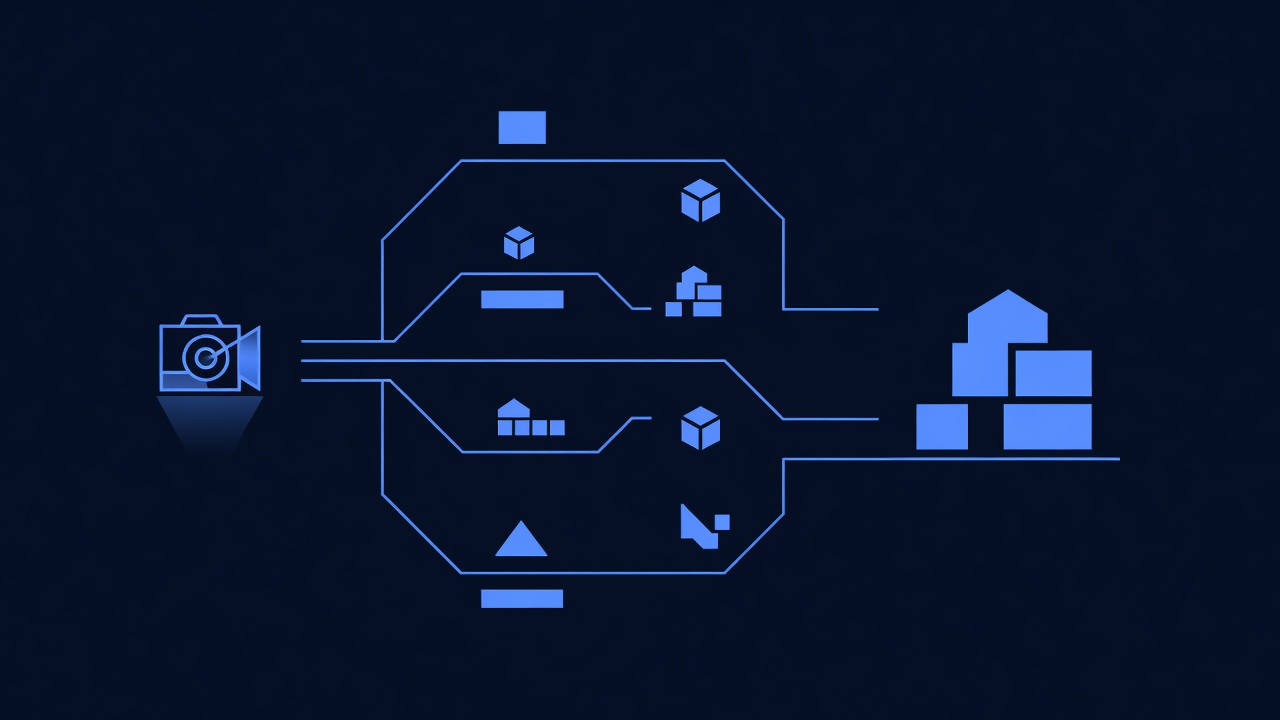
Principle: Templates should work for 80%+ of clients in a vertical; clients customize only branding and copy, not structure.
Good:
- Real estate agent template includes fields for “buyer”, “seller”, “past client”. Agent selects which are relevant; structure stays the same.
- Service business template includes “service type” as a dropdown (plumbing, HVAC, roofing). Plumber selects “plumbing”; structure is identical to roofer.
Bad:
- Building a custom template for each client (“John’s HVAC Business Template” vs. “Sarah’s Plumbing Template”). This defeats the purpose; you’re back to manual setup.
Rule of thumb: If you need to add/remove more than 2–3 fields per client, the template isn’t right for that client, or the template needs redesign.
2. Document Template Purpose and Field Descriptions
Principle: Clients (and your team) need to understand what each field is for.
Template documentation template (create for each snapshot):
# [Template Name] - Snapshot Documentation
## Purpose
[1 sentence: who this is for and what problem it solves]
Example: "Real estate agent lead nurture template. Designed for agents managing
buyer and seller leads. Includes contact fields, email sequences, SMS reminders,
and landing pages for lead capture."
## Custom Fields
| Field Name | Type | Purpose | Example |
|-----------|------|---------|---------|
| Contact Type | Dropdown | Buyer, Seller, Past Client, Referral Source | "Buyer" |
| Property Address | Text | Address of property in transaction | "123 Main St, Denver, CO 80210" |
| MLS # | Text | MLS listing number (sellers only) | "C-1234567" |
| List Price | Currency | Listing price (sellers) or offer price (buyers) | "$450,000" |
| Inspection Date | Date | Scheduled home inspection | "2026-08-15" |
## Email Sequences
1. **Buyer Nurture** (5 emails over 14 days)
- Email 1: Welcome to [Company]
- Email 2: Why work with us (team, experience, area expertise)
- Email 3: Testimonial (past client success story)
- Email 4: Market update (current listings, prices, inventory)
- Email 5: Schedule consultation (CTA: "Let's find your dream home")
2. **Listing Follow-Up** (4 emails over 21 days)
- Email 1: Thanks for listing with us; here's the plan
- Email 2: Marketing plan (photos, open house, ads)
- Email 3: Open house reminder (date, time, parking)
- Email 4: Status update (offers, feedback, next steps)
## SMS Workflows
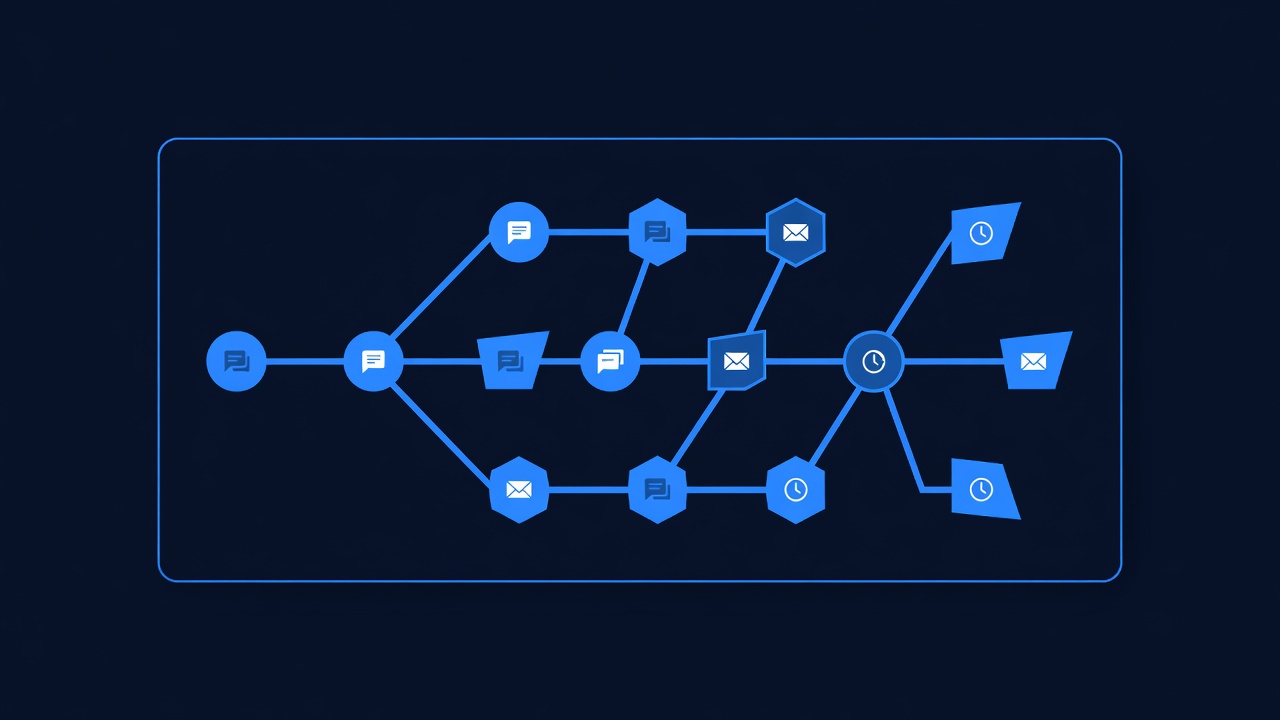
1. **Open House Reminder**: SMS 24h before open house
2. **Inspection Reminder**: SMS 24h before scheduled inspection
3. **Closing Day Reminder**: SMS 2 days before closing
## Landing Pages
1. **"Get Your Home Value Estimate"**: Buyer lead capture. Fields: address,
desired price range, timeline. CTA: Free estimate PDF.
2. **"List Your Home"**: Seller lead capture. Fields: address, asking price,
timeline. CTA: Free comparative market analysis (CMA) PDF.
## Automation Workflows
1. **New Buyer Contact**: If contact fills out buyer form → Tag "buyer" →
Wait 1 hour → Add to buyer nurture email sequence.
2. **New Seller Contact**: If contact fills out seller form → Tag "seller" →
Wait 1 hour → Add to seller email sequence.
3. **Inspection Scheduled**: If contact property has "inspection_date" set →
Schedule SMS reminder 24 hours before inspection date.
## Customization Checklist (for deployment)
- [ ] Update sender email address to client's email
- [ ] Update sender name in emails/SMS to client's name
- [ ] Replace "Test Company" with client's real company name (in all emails, SMS, landing pages)
- [ ] Upload client's logo to landing pages
- [ ] Update client's phone number in footer/contact info
- [ ] Test one email send and verify formatting
- [ ] Client reviews landing page copy and provides feedback for edits
- [ ] Activate workflows (they deploy inactive by default)
## Reuse Rate: 85%
This template is designed for real estate agents. 85% of agents will use
all fields and sequences without modification. 15% may customize messaging,
add/remove email subjects, or modify landing page copy.
## Support
If client has questions about fields or sequences, refer to this document.
If they want to add new fields or workflows, document scope and estimate
build time