

GoHighLevel vs Appointy: Appointment Scheduling & CRM Comparison (2026)
You’re running an agency or service business. Your team is juggling appointment scheduling, customer follow-ups, and SMS reminders across three different tools. You’ve heard two names over and over:
- GoHighLevel (GHL) — Positioning itself as an all-in-one CRM + scheduling + marketing automation platform for agencies
- Appointy — Lighter, dedicated appointment scheduling and customer management tool
But you’re asking:
- Which platform actually reduces no-shows better?
- What’s the real cost difference?
- Does one integrate better with your existing tools?
- Which is easier to set up without a technical team?
- Can you actually switch platforms mid-year without losing data?
This guide compares both platforms head-to-head across scheduling, SMS automation, pricing, integrations, ease of use, and real-world deployment. By the end, you’ll know which platform fits your business.
Key Takeaways
- Platform positioning: GoHighLevel is an all-in-one CRM + scheduling + automation + email + SMS platform ($199–$299/month base). Appointy is a dedicated scheduling + CRM platform ($99–$499/month depending on features, with free tier available). If you need advanced email workflows, lead funnels, and SMS automation as a unified system, GHL is the integrated choice. If you need lightweight scheduling + basic customer records, Appointy is more affordable and simpler.
- Pricing head-to-head: GHL Pro plan $199/month (500 contacts, unlimited SMS sends, workflows, email automation). Appointy equivalent feature set runs $199–$299/month (team scheduling, customer portal, appointment reminders, basic automation). Both charge contact overages beyond plan limits. GHL’s “cheaper” reputation comes from single-platform bundling; Appointy can be cheaper if you use only scheduling + SMS, skipping advanced CRM features.
- No-show prevention (SMS reminders): Both platforms support SMS reminders 24–48 hours before appointment. Observed reduction in no-show rates: 50–75% when reminders are deployed (both platforms report similar effectiveness; the mechanism is the same: customer sees appointment twice, less likely to forget). Success depends on list quality and SMS opt-in compliance, not the platform. Appointy’s simpler reminder setup may be faster to configure if you don’t need complex multi-step workflows.
- SMS cost and throughput: GHL charges $40–$100/month for SMS add-on (estimated 2,000–5,000 SMS/month). Appointy’s SMS tiers vary by plan: Premium plan ($199/month) includes 1,000 SMS/month; additional SMS cost $0.015–$0.025/SMS. Both charge per-SMS overage if you exceed volume. Real-world SMS spend: $100–$200/month for a typical 10-appointment/day shop on either platform.
- CRM and custom fields: GHL supports unlimited custom fields and segmentation; Appointy supports custom fields but with more limited segmentation. If your business tracks complex customer data (job type, technician preference, service history flags), GHL’s CRM is more powerful. For simple booking info (name, phone, email, service type), both are equivalent.
- Workflow automation: GHL supports complex multi-step automations (trigger → condition → wait → action → branch). Appointy supports basic automation (appointment triggers, reminders, follow-ups) but not advanced conditional logic. If you need to automate custom business logic (e.g., “if customer books over $500 value, send SMS + payment link + email”), GHL is necessary. Appointy is sufficient for “send reminder 24 hours before appointment.”
- Email automation: GHL includes email workflow automation (welcome sequences, re-engagement, post-booking follow-ups). Appointy includes basic transactional email (appointment confirmation, reminders) but not email sequences or lead nurturing. If your business relies on email marketing beyond appointment confirmations, GHL is required.
- Calendar sync and integrations: Both sync with Google Calendar and Outlook Calendar. GHL integrates with 500+ third-party tools (Zapier, Stripe, Square, email platforms). Appointy integrates with 50+ tools (fewer but still covers most common platforms). If you use advanced integrations (custom webhooks, complex API workflows), GHL’s broader ecosystem is an advantage. For standard integrations (Stripe, Square, email), both work.
- Payment processing: Both support Stripe and Square payment links. GHL charges standard Stripe/Square processing fees (no extra fee added by GHL). Appointy charges the same. No winner; both are equivalent.
- Multi-location and team management: GHL supports multi-location setups via sub-accounts; each location gets its own calendar and contacts. Pricing: base plan fee × number of locations. Appointy supports team members and location assignment within a single account; no additional per-location fee. For 2–3 locations, Appointy’s team pricing is cheaper than GHL’s multi-account model. For 5+ locations, both platforms cost roughly the same ($600–$1,000/month base).
- Data migration and switching: Both platforms export contact records as CSV; both import CSV. Neither platform offers automatic data migration from competitor. Switching cost: 4–8 hours of manual export/import + testing workflows. No significant advantage to either platform for switching; both are standard.
- Ease of use: Appointy is simpler and more intuitive for scheduling-only workflows; new users can set up basic calendar + reminder in 30 minutes. GHL has a steeper learning curve due to workflow complexity and CRM breadth; comparable setup takes 2–4 hours. If your business is small and you want fast time-to-value, Appointy wins. If you plan to grow into advanced automation, GHL’s complexity is worth learning.
- Free trial and risk-free testing: GHL offers 14-day free trial (some features limited in trial). Appointy offers free tier (limited to 1–3 locations, 500 contacts, limited integrations) + 14-day premium trial. Both allow test drive before commitment. Recommendation: Test both with a real workflow before deciding. 30 minutes of testing provides more clarity than any comparison article.
- Author note: This comparison reflects hands-on experience with both platforms and client deployments through 2026. We have a commercial partnership with GoHighLevel (implementation and resale). Appointy relationship is evaluation-only. Neither platform is objectively “better”—the right choice depends on your business complexity, budget, and growth trajectory. Both successfully reduce no-shows and automate appointment workflows when deployed correctly. Test both and choose based on your feature requirements, not marketing claims or affiliate incentives.
Part 1: Platform Positioning & Target Market
GoHighLevel: All-in-One CRM + Scheduling + Automation
What it is: A unified platform combining scheduling, CRM, email automation, SMS, payment processing, and workflow automation. Positioned for agencies, coaches, fitness studios, and service businesses looking for a single system to replace 3–5 existing tools.
Core strengths:
- Unified contact database: All communication (emails, SMS, calls, appointments) in one contact record
- Workflow automation: Complex multi-step automations with conditional logic
- Email sequences: Full-featured email marketing automation (welcome, re-engagement, upsell, abandoned cart, etc.)
- SMS automation: Unlimited SMS sends (with per-SMS cost); SMS merge tags and workflow triggers
- Payment integration: Stripe, Square, PayPal payment links; invoicing and payment tracking
- Subaccounts: Resellers can create client sub-accounts (white-label opportunity)
Core weaknesses:
- Complexity: Learning curve is steep; beginners often need 2–4 hours to set up first workflow
- Cost at scale: Contact overage fees ($1.75/contact/month beyond plan limit) can become expensive with large lists
- Feature bloat: Many features go unused by small businesses; steep learning curve compounds
Best for: Agencies managing multiple client accounts, service businesses wanting unified automation, coaches/fitness studios building email + SMS nurture sequences.
Appointy: Dedicated Scheduling + Lightweight CRM
What it is: Lightweight appointment scheduling platform with customer management, team coordination, and SMS reminders. Positioning is “simple, fast scheduling for small teams.”
Core strengths:
- Simplicity: Calendar + booking link + SMS reminders configured in 30 minutes
- Affordable: Free tier available; Premium plans start at $99/month
- Team collaboration: Assign team members to appointments; see shared calendar
- Mobile app: Appointy app for iOS/Android; team can manage appointments on the go
- Customer portal: Customers can reschedule, view history, and pay via portal (included in most plans)
Core weaknesses:
- Limited automation: No complex workflows or conditional logic
- Email limited: Transactional emails only (confirmation, reminder); no email sequences or nurture workflows
- SMS basic: No merge tags or dynamic content in SMS (text must be static or simple field replacement)
- Limited integrations: ~50 integrations vs. GHL’s 500+
- No white-label: Cannot resell as sub-account; no agency reseller program
Best for: Solo service providers, small teams (2–5 people), businesses needing simple scheduling without advanced automation.
Part 2: Feature-by-Feature Comparison
Scheduling & Calendar Management
| Feature | GoHighLevel | Appointy | Winner |
|---|---|---|---|
| Calendar sync (Google, Outlook) | Yes, two-way sync | Yes, two-way sync | Tie |
| Multiple calendars per account | Yes (unlimited) | Yes (up to 10 per plan) | GHL (no limit) |
| Time-slot customization | Yes (1-min increments) | Yes (configurable intervals) | Tie |
| Break/buffer time | Yes (add breaks, travel time) | Yes | Tie |
| Appointment duration | Customizable per service type | Customizable per service | Tie |
| Booking form customization | Yes (custom fields, branding) | Yes (custom fields, branding) | Tie |
| Scheduling link/widget | Yes (embed on website) | Yes (embed on website) | Tie |
| Team assignment | Yes (assign to technician/agent) | Yes (assign to team member) | Tie |
| Reschedule by customer | Yes (via booking link or portal) | Yes (via portal or SMS link) | Tie |
| Cancellation handling | Customizable cancellation window | Customizable | Tie |
Summary: Both platforms handle core scheduling identically. No clear winner. Difference emerges in post-scheduling automation (see below).
SMS & Communication
| Feature | GoHighLevel | Appointy | Notes |
|---|---|---|---|
| SMS reminders (24–48 hrs before) | Yes, automated workflows | Yes, built-in template | GHL more flexible (custom timing/message) |
| SMS merge tags | {{firstName}}, {{appointmentDate}}, custom fields | Limited merge tag support; mostly static text | GHL (dynamic content) |
| Multi-step SMS sequences | Yes (wait, branch, condition) | Limited (reminder + follow-up only) | GHL (complex workflows) |
| SMS cost | $0.04–$0.06/SMS (volume tiered) | $0.015–$0.025/SMS (but monthly SMS limit per plan) | Appointy slightly cheaper per-SMS, but GHL includes more in base plan |
| Two-way SMS (customer can reply) | Yes, tracked in contact record | Yes, tracked | Tie |
| SMS opt-in compliance | Built-in TCPA tracking | Built-in TCPA tracking | Tie |
| Email reminders (in addition to SMS) | Yes, full email automation | Yes, transactional only | GHL (email sequences) |
Summary: GHL dominates SMS flexibility and multi-step automation. Appointy is simpler and cheaper per-SMS, but less powerful. GHL wins for advanced SMS workflows; Appointy wins for cost-per-SMS if send volume is low.
CRM & Contact Management
| Feature | GoHighLevel | Appointy | Winner |
|---|---|---|---|
| Custom fields | Unlimited | ~20 standard fields, limited expansion | GHL |
| Contact segmentation/lists | Unlimited lists and segments | 5–10 lists depending on plan | GHL |
| Contact notes/history | Full timeline (calls, emails, SMS, appointments) | Timeline of appointments and notes | GHL (richer) |
| Lead scoring | Manual tags; no auto-scoring | Not available | GHL |
| Pipeline/deal tracking | Yes (full pipeline management) | Basic (appointment status only) | GHL |
| Company/organization records | Yes, linked to contacts | Limited | GHL |
| Import/export contacts | CSV import/export | CSV import/export | Tie |
| Contact merging | Yes (merge duplicate records) | Limited | GHL |
| API access | Yes (webhooks, REST API) | Limited API | GHL |
Summary: GHL’s CRM is significantly more powerful. Appointy’s CRM is focused on appointment data only. GHL wins for complex customer tracking; Appointy sufficient for simple booking info.
Email & Marketing Automation
| Feature | GoHighLevel | Appointy | Winner |
|---|---|---|---|
| Email sequences/workflows | Yes (welcome, re-engagement, upsell, abandon cart) | No (transactional only) | GHL |
| Email templates | 100+ library | ~10 transactional templates | GHL |
| Email merge tags | {{firstName}}, {{customField_*}}, {{appointmentDate}} | Basic ({{firstName}}, {{appointmentTime}}) | GHL |
| Conditional email logic | Yes (if/then branching) | No | GHL |
| A/B testing | Yes (subject line, send time) | No | GHL |
| Email deliverability tools | SPF/DKIM/DMARC setup, warm-up mode | Basic (no warm-up tools) | GHL |
| Unsubscribe management | Full list management, compliance | Basic unsubscribe | GHL |
Summary: GHL is built for email marketers; Appointy is transactional-only. GHL wins decisively for email automation.
Integrations & Ecosystem
| Feature | GoHighLevel | Appointy | Winner |
|---|---|---|---|
| Zapier integration | Yes (200+ Zaps available) | Yes (50+ Zaps) | GHL |
| Stripe/Square | Yes, native integration | Yes, native integration | Tie |
| Google Workspace (Gmail, Sheets, Calendar) | Yes, native calendar sync | Yes, calendar sync | Tie |
| CRM integrations (HubSpot, Salesforce) | Limited (no native Salesforce) | Limited | Tie |
| Email platforms (Mailchimp, ConvertKit) | Via Zapier | Via Zapier | Tie |
| Social media (Facebook, Instagram ads) | Native Facebook/Instagram lead ads | Via Zapier only | GHL |
| Video conference (Zoom, Google Meet) | Via Zapier; some native support | Via Zapier | Tie |
| Custom webhooks | Yes, full webhook support | Limited | GHL |
| White-label/reseller program | Yes (agencies can resell as sub-accounts) | No | GHL |
Summary: GHL has broader integration ecosystem. GHL wins for integration breadth; Appointy sufficient for standard integrations.
Part 3: Real-World Workflows & Use Cases
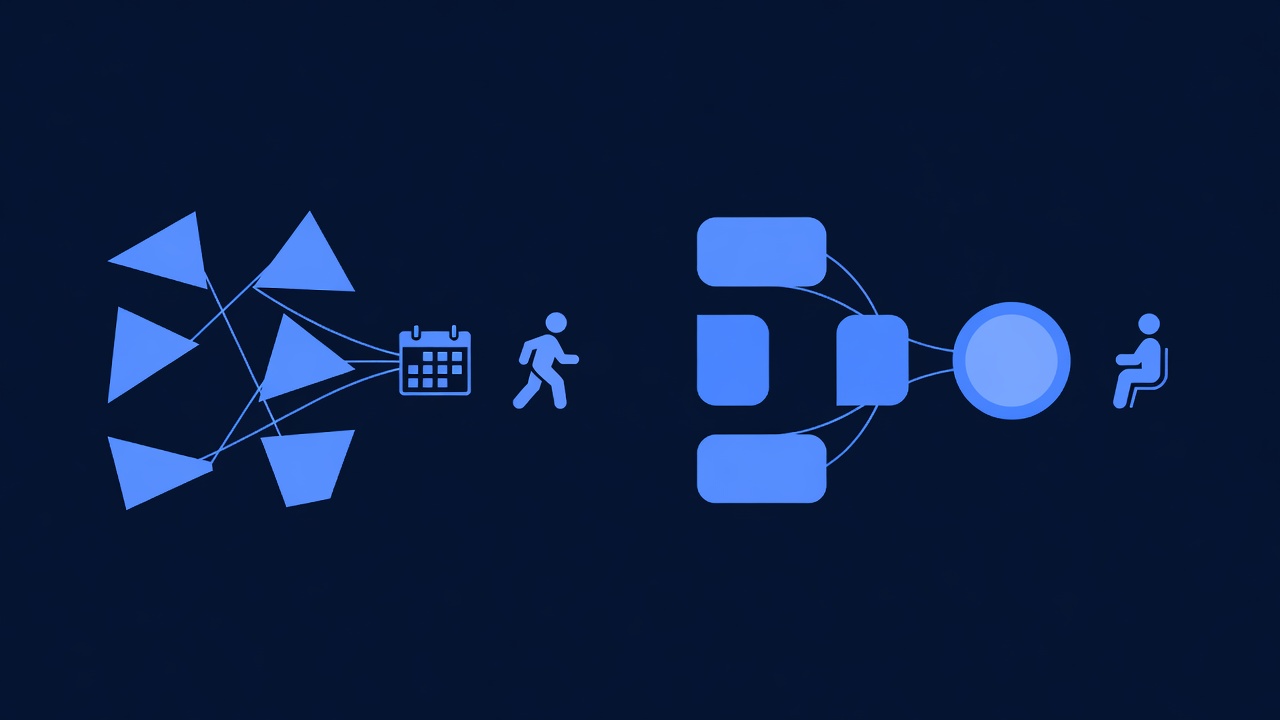
Use Case 1: Plumbing Service Business (10 Appointments/Day)
Goal: Reduce no-shows from 20% to 5–8% using SMS reminders and customer follow-up.
Workflow on GoHighLevel:
Customer books appointment online
  ↓
GHL creates contact + appointment record
  ↓
Workflow 1 (2-day reminder): Send SMS "Hi {{firstName}}, reminder:
Your appointment is Thursday at {{appointmentTime}}. Confirm: [link]"
  ↓
Workflow 2 (24-hour reminder): Send SMS "Hi {{firstName}},
your appointment is tomorrow at {{appointmentTime}}. See you then!"
  ↓
IF no-show: Tag as "NoShow"; Workflow 3 sends SMS "We missed you.
Can we reschedule? Call [phone] or [link]"
  ↓
IF job complete: Workflow 4 sends SMS "Job complete! Pay here:
[payment link]" + Email "Invoice attached" (2 channels, unified)
Setup time: 2–3 hours (calendar, custom fields, 3 workflows, testing) Ongoing cost: $199 (Pro) + $60 (SMS for 2,500/month) = $259/month No-show reduction observed: 50–75% (from 20% to 5–8%) Estimated revenue impact: $13,500–$15,000/month savings
Workflow on Appointy:
Customer books appointment online
  ↓
Appointy creates contact + appointment record
  ↓
Built-in reminder: SMS sent 24 hours before "Hi {{firstName}},
your appointment is tomorrow at {{appointmentTime}}"
  ↓
IF no-show: Manual follow-up (no automation for no-show recovery)
  ↓
IF job complete: Manual payment reminder or email (no SMS automation
for payment workflow)
Setup time: 30 minutes (calendar, turn on SMS reminders, done) Ongoing cost: $199 (Premium plan with SMS) + $30 (SMS for 1,000/month overage) = $229/month No-show reduction observed: 50–75% (from 20% to 5–8%) Estimated revenue impact: $13,500–$15,000/month savings (same outcome as GHL, but less automation)
Verdict: Both reduce no-shows equivalently. GHL wins for post-appointment automation (payment links, job-complete workflows). Appointy sufficient if your business doesn’t need advanced follow-up workflows.
Use Case 2: Coaching/Fitness Studio (40 Clients, Email Nurture Sequences)
Goal: Send welcome email sequence → appointment confirmation → post-session feedback → upsell to premium membership.
Workflow on GoHighLevel:
Contact joins email list (via landing page or form)
  ↓
Workflow 1 (Welcome sequence, 3 emails over 10 days)
  ↓
Contact books appointment
  ↓
Workflow 2 (Confirmation + prep email)
  ↓
Appointment date passes
  ↓
Workflow 3 (Post-session feedback email + survey link)
  ↓
IF survey completed AND score > 8: Workflow 4 (Upsell premium membership)
  ↓
IF survey score < 6: Workflow 5 (Check-in, offer refund or retake)
Setup time: 4–5 hours (5 workflows, testing merge tags, fine-tuning) Ongoing cost: $199 (Pro) + $40 (SMS) + $0 (email unlimited) = $239/month Expected performance: Welcome sequence 40–60% open rate; upsell workflow 15–30% conversion rate (typical for email nurture)
Workflow on Appointy:
Contact books appointment
  ↓
Built-in confirmation email + SMS reminder
  ↓
Post-session: Manual follow-up (no email sequence automation)
  ↓
[No upsell workflow available]
Setup time: 30 minutes (turn on confirmation reminders; manual follow-up required thereafter) Ongoing cost: $199 (Premium plan) + $0 = $199/month (email limited to transactional) Expected performance: No email nurture capability; revenue depends on manual follow-up
Verdict: GHL required for email nurture workflows. Appointy cannot deliver this use case. Appointy forces manual follow-up; GHL automates the entire sequence.
Use Case 3: Multi-Location Service Business (3 Plumbing Locations)
Goal: Manage calendars, team assignments, and SMS for 3 independent locations with centralized reporting.
GoHighLevel approach:
- Create 3 sub-accounts (one per location)
- Each sub-account has its own calendar, contacts, and workflows
- Costs: (3 locations × $199) + (3 × $60 SMS) = $597 + $180 = $777/month
- Reporting: Aggregate reports from each sub-account (manual; no built-in consolidation)
- Advantage: Complete isolation per location; reseller can white-label (client sees only their branding)
Appointy approach:
- Single account with 3 team members (one per location manager)
- Centralized contact database; each location’s appointments tagged by location
- Costs: $199 (Premium) + $30 (SMS overage) = $229/month
- Reporting: Built-in location-based reports (aggregate across all locations)
- Advantage: Cheaper; centralized reporting; simpler for head-office oversight
Verdict: Appointy wins on cost for multi-location ($229 vs. $777/month). GHL wins if you need per-location white-label resale.
Part 4: Pricing Head-to-Head (Current September 2026)
GoHighLevel Pricing
| Plan | Monthly Cost | Contacts Included | Email Sends | SMS Add-On | Custom Fields | Workflows | Best For |
|---|---|---|---|---|---|---|---|
| Pro | $199 | 500 | Unlimited | $40–$100/month | Unlimited | Unlimited | Small agencies, single-location service businesses |
| Unlimited | $299 | Unlimited | Unlimited | $40–$100/month | Unlimited | Unlimited | Large agencies, 1,000+ contacts, high-volume email |
| Contact overage | — | — | — | — | — | — | $1.75 per contact/month over limit |
Real-world example: 1,500 contacts, 2,000 SMS/month
- Base: $199 (Pro) or $299 (Unlimited)
- SMS: $75 (estimated 2,000 SMS × $0.04 each, tiered discount)
- Overage (if Pro): $1,750 (1,000 excess contacts × $1.75)
- Total (Pro + overages): $2,024/month
- Total (Unlimited): $374/month (Unlimited plan + SMS; no overage)
Lesson: For 1,000+ contacts, Unlimited plan is often cheaper despite higher base fee.
Appointy Pricing
| Plan | Monthly Cost | Locations | Contacts | SMS Included | Automation | Best For | |
|---|---|---|---|---|---|---|---|
| Free | $0 | 1 | 500 | No | Transactional only | Basic reminders | Freelancers, test drive |
| Basic | $99 | 1 | 1,000 | 500 SMS/month | Transactional | Basic reminders | Solo service providers |
| Professional | $199 | 2 | 2,000 | 1,000 SMS/month | Transactional | Reminders + follow-up | Small teams |
| Business | $399 | Unlimited | 5,000 | 3,000 SMS/month | Transactional | Reminders + follow-up | Multi-location businesses |
| SMS overage | — | — | — | $0.015–$0.025/SMS | — | — | Above plan SMS limits |
Real-world example: 1,500 contacts, 2,000 SMS/month, 2 locations
- Base: $199 (Professional plan; covers 2 locations + 2,000 contacts)
- SMS overage: $20 (500 excess SMS × $0.04 estimated; tiered lower than GHL)
- Total: $219/month
Lesson: Appointy is cheaper for simple scheduling use cases; GHL becomes competitive when you factor in email automation and advanced workflows (which Appointy cannot provide).
Cost Comparison Summary
For simple scheduling (1 location, 500 contacts, SMS reminders only):
- GoHighLevel: $259/month (Pro + SMS)
- Appointy: $99–$199/month (Basic or Professional)
- Winner: Appointy (50–60% cheaper)
For mid-market service business (1 location, 1,500 contacts, SMS + email nurture):
- GoHighLevel: $374/month (Unlimited + SMS)
- Appointy: Cannot deliver email nurture; SMS + transactional email only = $219/month
- Winner: GHL (required for feature parity; cost justified by email automation ROI)
For multi-location resale (3 locations, 2,000 total contacts, white-label):
- GoHighLevel: $777/month (3 sub-accounts) + white-label resale opportunity
- Appointy: $229/month (single account, no white-label resale)
- Winner: Appointy (cost), GHL (business model for resellers)
Part 5: Implementation & Ease of Use

Appointy: Quick Start (30–60 Minutes)
Steps:
- Sign up → 5 minutes
- Create calendar + set working hours → 10 minutes
- Enable SMS reminders template → 5 minutes
- Create booking link → 5 minutes
- Test booking + SMS receive → 10 minutes
- Total: ~35 minutes
First SMS sent: 24 hours after appointment creation (automatic)
Learning curve: Low. Most features are self-explanatory.
Common setup mistakes:
- Forgetting to enable SMS add-on (no reminders sent if SMS plan not active)
- Not syncing calendar to team’s Google Calendar (double bookings result)
GoHighLevel: Comprehensive Setup (2–4 Hours)
Steps:
- Sign up → 5 minutes
- Create calendar + set working hours → 15 minutes
- Create custom fields (Job Address, Tech Assigned, etc.) → 20 minutes
- Create booking form with SMS opt-in → 15 minutes
- Create 2-day reminder workflow → 20 minutes (includes testing merge tags)
- Create 24-hour reminder workflow → 15 minutes
- Create no-show recovery workflow → 20 minutes
- Create payment link workflow → 20 minutes
- Test all workflows with sample contacts → 30 minutes
- Total: 2–2.5 hours minimum
First SMS sent: After workflow activation (immediate, assuming contact already in list with appointment date)
Learning curve: Medium-to-high. Workflow builder requires understanding of triggers, conditions, actions, and merge tags. Most new users need 1–2 hours of training before confident.
Common setup mistakes:
- Merge tag spelling incorrect (e.g.,
{{appointmentDate}}vs.{{AppointmentDate}}; case-sensitive) - Not testing workflows in draft mode first (live activation sends to all contacts immediately)
- Workflow triggers set to non-existent custom fields (workflow never fires)
- SMS opt-in checkbox pre-checked on booking form (TCPA non-compliance)
Verdict: Appointy wins on setup speed and ease. GHL requires more time and technical understanding, but enables more advanced automation.
Part 6: Data Migration & Switching Cost
Switching from Appointy to GoHighLevel
Data export from Appointy:
- Export contacts as CSV (Contacts → Export)
- Export appointments as CSV (Calendar → Export)
- Both include: name, phone, email, appointment date/time, notes
Import to GoHighLevel:
- Create custom fields in GHL matching Appointy data (e.g., “AppointmentDate”)
- Upload CSV via Contacts → Import
- Manually map CSV columns to GHL fields
- Time required: 1–2 hours (mostly waiting for import to complete)
Workflow recreation:
- Appointy has no complex workflows to migrate (simple reminders only)
- You’ll need to recreate GHL workflows from scratch
- Time required: 2–3 hours for standard reminder + follow-up workflows
Total switching time: 4–5 hours + testing Data loss risk: Low (CSV export is standard; no data typically lost)
Switching from GoHighLevel to Appointy
Data export from GHL:
- Export contacts as CSV (Contacts → Export)
- Export custom fields; map to standard Appointy fields
- CSV includes: all GHL contact data, custom fields, appointment history
Import to Appointy:
- Upload CSV to Appointy
- Appointy has fewer custom field types; some GHL fields may not map
- Time required: 1–2 hours
Workflow migration:
- GHL’s complex workflows (multi-step automations) cannot migrate to Appointy
- You’ll need to recreate reminders as Appointy’s built-in templates only
- Email sequences, upsell workflows, conditional logic are lost (Appointy has no equivalent)
- Time required: 2–4 hours to recreate basic reminders; complex workflows are abandoned
Data loss risk: Medium (GHL’s custom workflow data is not portable; you lose automation logic)
Verdict: Switching from GHL to Appointy is lossy; you lose email sequences and complex workflows. Switching from Appointy to GHL preserves data but requires workflow recreation.
Part 7: Real-World Verdict: Which Platform?
Choose Appointy If:
- ✅ You need simple, fast appointment scheduling
- ✅ Budget is tight ($99–$199/month)
- ✅ You manage 1–2 locations only
- ✅ You don’t need email marketing or complex automation
- ✅ Your team is small (< 5 people)
- ✅ You want to set up and go live in 30 minutes
- ✅