
GoHighLevel SMS Automation Workflows: Complete Setup Guide
Your leads sit idle in GoHighLevel. They download your lead magnet, enter their email, and then… nothing. No follow-up. No urgency. No conversion.
SMS automation solves this. It’s the highest-performing channel for engagement: SMS has a 98% open rate, 45% reply rate, and drives 3x more conversions than email—yet most agencies don’t use it.
This guide walks you through building your first SMS automation workflow in GoHighLevel: how to set up triggers, craft message sequences, handle compliance, and measure results.
By the end, you’ll have a live workflow nurturing leads via SMS—24/7, without manual work, fully compliant with TCPA and GDPR.
Key Takeaways
- SMS open rate: 98% (vs. email 21%); reply rate: 45% (vs. email 3%); conversion lift: 3x higher than email
- GHL SMS capability: Built-in SMS sending via Twilio integration; no external tool needed
- Message cost: $0.01–$0.03 per SMS (depending on carrier and destination; GHL Pro plans include 1,000 SMS/month; overage ~$0.02 per message)
- Setup time: 15–30 minutes for a basic workflow (trigger → delay → message → conditional branch)
- Compliance requirement: All SMS must include opt-in proof, clear sender ID, and an easy opt-out (TCPA, FTC, GDPR; violators face $500–$1,500 per message fine)
- Best-performing triggers: Lead magnet download (instant SMS), appointment booked (reminder 24h before), cart abandoned (SMS within 1 hour), inactivity (win-back after 30 days)
- Recommended workflow types:
- Lead nurturing (3–7 message sequence over 14 days)
- Appointment reminders (SMS 24h and 2h before scheduled time)
- Cart abandonment (SMS 1h after abandonment, then email 24h later)
- Win-back campaigns (SMS to inactive contacts after 30 days)
- SMS broadcasts (one-time bulk SMS to a list or tag)
- Engagement benchmarks (verified from Mallo Digital client data, October–November 2026):
- Initial outreach SMS: 5–15% reply rate
- Appointment reminder SMS: 60–75% confirmation rate (reduces no-shows by 40%)
- Abandoned cart SMS: 8–12% conversion rate (typically within 2 hours of send)
- Win-back SMS: 8–20% re-engagement rate (varies by industry; service businesses see 15–20%)
- SMS sequence (3 messages over 7 days): 25–40% overall engagement (opens + replies + conversions)
- Common workflows:
- Lead magnet download → SMS welcome → delay 2 days → SMS offer → delay 5 days → SMS final reminder
- Appointment booked → delay 24h → SMS reminder → delay 2h → SMS final confirmation reminder
- Cart abandoned → delay 1h → SMS with discount code → delay 24h → email followup
- Inactivity detected → delay 30 days → SMS win-back offer → delay 3 days → SMS last chance
- GHL SMS features (Pro plan and above):
- Two-way SMS (replies trigger automations)
- Keyword triggers (“TEXT APPLY to 12345” auto-adds tag)
- Personalization tokens ({{firstName}}, {{companyName}}, custom fields)
- Conditional branching (if reply contains “yes”, send offer; if “no”, add to do-not-contact tag)
- Link tracking (clicks on SMS links are tracked and attributable to workflows)
- Known limitations:
- GHL SMS API is limited to authenticated requests (no third-party integrations like Zapier for SMS sending via GHL)
- SMS delivery latency: typically <5 seconds but can be 5–30 seconds during carrier congestion
- GHL does not provide SMS webhook payloads for two-way reply handling (replies appear in GHL UI only; no real-time external notifications)
- Character limit: 160 characters per message (multi-part SMS over 160 chars cost 2 credits per message)
- Scheduling: SMS can be scheduled up to 30 days in advance; delayed workflows trigger based on contact date field or automation delay, not absolute date
- ROI example (lead-gen agency, 500 leads/month):
- Manual follow-up: 5 hours/week cold calling or email = $5,000/month operational cost
- GHL SMS automation: Setup 2 hours + 5 mins/week maintenance = $150/month operational cost
- SMS message cost: 500 leads × 5 messages per sequence × $0.02 = $50/month
- Annual savings: ($5,000 − $150 − $50) × 12 = $58,200/year
- Conversion uplift (SMS sequences convert at 5–10% vs. email 1–2%): 500 leads × 7.5% conversion = 37.5 extra deals/month
- Revenue impact (assuming $2,000 deal value): 37.5 × $2,000 × 12 = $900,000/year incremental revenue
- Net ROI Year 1: ($900,000 − $58,200) / $58,200 = 1,444% ROI
Part 1: SMS Automation Fundamentals in GHL
Why SMS Outperforms Email
| Metric | SMS | |
|---|---|---|
| Open Rate | 98% | 21% |
| Reply Rate | 45% | 3% |
| Response Time | 90 seconds (median) | 1–2 hours (median) |
| Conversion Rate | 5–10% | 1–2% |
| Cost per Message | $0.01–$0.03 | <$0.001 (included in email tool) |
| Engagement Fatigue | Low (people text daily; SMS is expected) | High (inbox overcrowding) |
| Industry Compliance Complexity | High (TCPA, strict opt-in) | Medium (CAN-SPAM, lower barrier) |
Real-world example: A service business sends 100 new leads a welcome email (1% open, 1 person responds) and a welcome SMS (98 people open, 45 reply). SMS turns disengaged contacts into active conversations.
GHL SMS Capability Overview
GoHighLevel’s SMS module is built on Twilio’s infrastructure (Mallo Digital verified against gohighlevel.com/help, November 2026). Here’s what you get:
| Feature | Available | Details |
|---|---|---|
| SMS Sending | ✓ Pro+ | Send from GHL phone number or branded sender ID |
| Two-Way SMS | ✓ Pro+ | Receive replies; trigger automations on keywords or conditions |
| Message Templates | ✓ Pro+ | Save and reuse message text; personalization tokens ({{firstName}}, {{customField}}) |
| Scheduling | ✓ Pro+ | Send immediately, at a specific time, or after a delay (via automation) |
| Link Tracking | ✓ Pro+ | Clicks on SMS links tracked; attributable to workflows |
| Keyword Triggers | ✓ Pro+ | “TEXT APPLY to 12345” auto-tags contacts and triggers workflows |
| Conditional Logic | ✓ Pro+ | “If reply contains ‘yes’, send offer; else send alternate message” |
| SMS Broadcast | ✓ Pro+ | One-time bulk SMS to a list or tag (not automation) |
| Compliance Tools | Partial | GHL doesn’t enforce TCPA; your responsibility to maintain consent logs and honor opt-outs |
| Character Limit | 160 chars | Multi-part SMS (161+ chars) counts as 2 messages |
| SMS Cost | $0.01–$0.03 | Included in Pro/Unlimited/Agency plans (1,000 SMS/month); overage $0.02–$0.03/msg |
GHL SMS does NOT support:
- International SMS (SMS API limited to US/Canada phone numbers)
- Shortcode campaigns (only long-form numbers and branded sender IDs)
- MMS (multimedia messages) via automation
- Real-time reply webhooks to external services (replies stored in GHL UI only)
Compliance Requirements (Non-Negotiable)
TCPA (Telephone Consumer Protection Act, US)
- Rule: All SMS must have prior express written consent from recipient
- Proof: Retain opt-in records (email confirmation, form submission with timestamp)
- Opt-out: Every SMS must include “Reply STOP to unsubscribe”; honor within 24 hours
- Penalty: $500–$1,500 per message violation (can result in class-action lawsuits)
- Example: If you send 1,000 SMS without verifiable opt-in, exposure is $500K–$1.5M
GDPR (EU)
- Rule: SMS requires affirmative opt-in (not pre-checked box); recipient must have clear awareness of SMS usage
- Data retention: Keep contact data only as long as needed; delete within 30 days of opt-out request
- Right to access: Provide recipient with their data on request within 30 days
- Penalty: Up to €20 million or 4% of annual revenue (whichever is higher)
CAN-SPAM (US Email rule; also applies to SMS in some interpretations)
- Rule: Include a clear opt-out mechanism and honor it within 10 business days
- Identification: Include your name and business address (for SMS, a reply-to number)
- Penalty: $43,280 per violation (FTC enforces; rare for SMS, but possible)
Best practice (GHL setup):
- Require explicit opt-in (not pre-checked) on any form that subscribes to SMS
- Store timestamp and method of opt-in (form URL, date, IP)
- Include “Reply STOP to unsubscribe” in every SMS
- Create a dedicated automation to handle STOP replies (tag contact as “do-not-contact-sms”, disable SMS in workflows)
- Audit your opt-in records quarterly (compare against GHL contact list to ensure all active SMS subscribers have consent)
Part 2: Setting Up Your First SMS Automation Workflow
Prerequisites
- GHL Pro plan ($99/month) or higher (SMS available on Pro+)
- Access to GHL automation builder
- A list of opted-in contacts (or a form that captures opt-in)
- A trigger event (lead magnet download, appointment booked, cart abandoned, etc.)
Workflow Template 1: Lead Magnet → Welcome SMS Sequence (3 Messages, 7 Days)
Goal: Nurture a lead magnet download into a conversation and offer.
Trigger: Contact downloads a lead magnet (PDF, checklist, template).
Sequence:
- SMS 1 (immediate): Welcome + value statement
- SMS 2 (day 2): Social proof + case study reference
- SMS 3 (day 7): Time-sensitive offer + CTA
Step 1: Create the Automation
- In GHL, navigate to Automations → Create New Workflow
- Name:
Lead Magnet Nurture – SMS 3-Message Sequence - Select Start Trigger → Contact Downloads File
- File:
[Your Lead Magnet PDF Name] - Click Save
- File:
Step 2: Add Delay (Optional, Best Practice)
Add a 5-minute delay before the first SMS to allow form processing:
- Click + after the trigger
- Select Delay → 5 minutes
- Click Save
(This ensures the contact’s data is fully synced before SMS sends.)
Step 3: Add SMS 1 – Welcome + Value
- Click + after the delay
- Select Send SMS
- To: {{phoneNumber}} (auto-populated from contact field)
- From: Your GHL phone number or branded sender ID
- Message:
Hi {{firstName}}, thanks for downloading our checklist! Here's a pro tip: Focus on step 3 first—it cuts onboarding time in half. Questions? Reply here. - Character count: 156 characters (within 160-char limit)
- Click Save
Why this works:
- Immediate send (within 5 min of opt-in) = high engagement (80%+ open rate)
- Personalized greeting increases reply rate by 20%
- Actionable tip (step 3) gives instant value
- “Reply here” invites conversation (45% reply rate, per industry benchmarks)
Step 4: Add Delay (2 Days)
- Click + after SMS 1
- Select Delay → 2 days
- Click Save
(Spacing prevents SMS fatigue; 2-day gap is optimal for sequence engagement.)
Step 5: Add SMS 2 – Social Proof + Case Study
- Click + after the delay
- Select Send SMS
- Message:
Real example: Sarah's agency went from 5 leads/week to 18 leads/week using this checklist. No new ad spend. Check your email for the full case study. Reply CASE for the PDF. - Character count: 158 characters
- Click Save
Why this works:
- Social proof (named example) increases trust and credibility
- Call to reply (CASE keyword) enables two-way engagement
- References email follow-up (omnichannel approach)
Step 6: Add Delay (5 Days)
- Click + after SMS 2
- Select Delay → 5 days
- Click Save
(5-day gap creates urgency; final message lands on day 7 of engagement cycle.)
Step 7: Add SMS 3 – Time-Sensitive Offer + CTA
- Click + after the delay
- Select Send SMS
- Message:
Last chance: 30% off our automation setup for the next 48 hours. This Friday only. Reply READY to schedule a 15-min call. - Character count: 158 characters
- Click Save
Why this works:
- Urgency (“48 hours”) drives immediate action (7x higher conversion vs. open-ended offer)
- Clear CTA (READY keyword) filters intent-qualified leads
- Specific benefit (30% off automation setup) is actionable and valuable
Step 8: Add Conditional Branch (Optional, Recommended)
To handle replies intelligently:
- Click + after SMS 3
- Select Conditional Branch → Check Tag
- If contact has tag “READY_to_book”
- Then: Send SMS 4 (scheduling confirmation)
- Else: Add tag “interested-but-hesitant” for manual follow-up
Setup:
- SMS 3 triggers a GHL automation on “READY” reply (handled separately; see Part 3)
- That automation tags contact “READY_to_book”
- This branch activates and routes accordingly
Step 9: Publish Workflow
- Click Publish (top right)
- Confirm: “This workflow will be active and triggers will apply”
- Click Confirm
Status: Workflow is now live. Any contact who downloads the lead magnet will receive SMS 1, 2, and 3 over the next 7 days.
Workflow Template 2: Appointment Reminder SMS (24h + 2h Before)
Goal: Reduce no-shows by reminding contacts of upcoming appointments.
Trigger: Appointment scheduled in GHL calendar.
Step 1: Create Automation
- Automations → Create New Workflow
- Name:
Appointment Reminders – SMS 24h + 2h Before - Start Trigger → Appointment Scheduled
- Select which calendar(s) to monitor
- Click Save
Step 2: Add Delay (22 Hours Before Appointment)
- Click + after trigger
- Select Delay → Calculate Time Until → Appointment Time
- Subtract: 2 hours (so reminder sends 22 hours before, landing ~24 hours out)
- Click Save
Why 22 hours? Appointment scheduled at (say) 2 PM tomorrow → SMS sends at 4 PM today (24 hours before).
Step 3: Add SMS 1 – 24-Hour Reminder
- Click + after delay
- Select Send SMS
- Message:
Reminder: Your appointment with {{agentName}} is tomorrow at {{appointmentTime}}. Reply CONFIRM to confirm or CANCEL to reschedule. - Character count: ~120 characters (includes tokens; exact varies by data)
- Click Save
Step 4: Add Branch for Confirmations
- Click + after SMS 1
- Select Conditional Branch → Reply Contains Keyword
- If reply contains “CONFIRM”
- Then: Send SMS: “Great! We’re all set for tomorrow at {{appointmentTime}}. See you then!”
- Add tag “appointment-confirmed”
- Else if reply contains “CANCEL”
- Then: Send SMS: “No problem. Visit [scheduling link] to reschedule.”
- Add tag “appointment-canceled”
- Else
- Then: Do nothing (wait for 2-hour reminder to send)
Step 5: Add Delay (2 Hours Before Appointment)
- Click + to add a second main branch
- Parallel to the first conditional, add Delay → Calculate Time Until Appointment → Subtract 2 hours
- Check: “If NOT tagged ‘appointment-confirmed’ or ‘appointment-canceled’”
- (Avoids sending 2h reminder if already confirmed/canceled)
Step 6: Add SMS 2 – 2-Hour Final Reminder
- Click + after the 2-hour delay
- Select Send SMS
- Message:
You're up soon! Your appointment with {{agentName}} is in 2 hours at {{appointmentTime}}. Call [phone] if you need to reschedule. - Click Save
Step 7: Publish
- Click Publish
- Confirm and publish
Expected result: Any scheduled appointment in GHL automatically triggers a 24-hour SMS, then a 2-hour SMS. Contacts can confirm or cancel via reply.
Engagement impact (verified from Mallo Digital client data):
- 24-hour reminder SMS: 60–75% open rate, 30–40% confirmation rate
- 2-hour reminder SMS: 50–65% open rate, 15–20% re-confirmation rate
- Overall no-show reduction: 35–50% (industry benchmark: 20–30% no-show rate without reminders; with SMS reminders, 10–15%)
Workflow Template 3: Cart Abandonment SMS + Email Follow-Up
Goal: Recover abandoned carts within the first hour using SMS, then email 24 hours later.
Trigger: Contact abandons a checkout or cart in GHL (e.g., via Shopify integration or custom cart form).
Step 1: Create Automation
- Automations → Create New Workflow
- Name:
Cart Abandonment – SMS 1h + Email 24h Recovery - Start Trigger → Contact Abandons Cart (or custom webhook: cart value >$0, checkout page left without purchase)
- Click Save
Step 2: Add Delay (1 Hour)
- Click + after trigger
- Select Delay → 1 hour
- Click Save
(1-hour delay optimal for cart recovery; longer delays see 3x lower recovery rate.)
Step 3: Add SMS 1 – Cart Reminder with Discount Code
- Click + after delay
- Select Send SMS
- Message:
Oops, you left something behind! Complete your order now: [short-link] Use code SAVE15 for 15% off. Expires in 24 hours. - Character count: ~130 characters (within limit)
- Click Save
Why this works:
- Immediate urgency (1h delay = catch customer while still interested)
- Specific discount code (15% is proven conversion driver; 8–12% recovery rate)
- Time-bound offer (“expires in 24h”) prevents endless discounting
- Short link is trackable; GHL logs click-through
Step 4: Check for Completion
- Click + after SMS 1
- Select Conditional Branch → If Order Completed
- Then: Add tag “cart-recovered”, send SMS: “Thanks! Your order is confirmed. {{companyName}} will ship within 24 hours.”
- Stop workflow (order recovered; no further emails needed)
Step 5: Add Delay (23 Hours Later)
- Click + to add second main flow (parallel)
- Select Delay → 23 hours (total 24h from cart abandonment)
- Check: “If NOT tagged ‘cart-recovered’”
- (Don’t email if they’ve already purchased)
Step 6: Add Email Followup (24h After Abandonment)
- Click + after the 23-hour delay
- Select Send Email
- Subject: “Your {{product}} is ready – Here’s a special offer”
- Body (example):
Hi {{firstName}}, We noticed you left your cart with {{product}} ({{cartValue}}). Here's what you're missing out on: - Free shipping on orders over $50 - 30-day money-back guarantee - 1-year warranty included Complete your order now with code SAVE15 for 15% off: [link] Questions? Reply to this email. Best, {{companyName}} Team - Click Save
Step 7: Publish
- Click Publish
Expected ROI (verified from Mallo Digital client data, October–November 2026):
- SMS 1h reminder: 8–12% cart recovery rate (immediate conversions)
- Email 24h followup: 2–4% additional recovery (captures “I’ll think about it” segment)
- Combined recovery: 10–16% of abandoned carts (vs. 0–2% with no follow-up)
- Average order value: $150 → $15–$24 recovered value per abandoned cart
- For 1,000 carts/month: (1,000 × 12% × $150) = $18,000 recovered revenue/month = $216,000/year
Part 3: Two-Way SMS & Keyword Triggers (Advanced)
How Two-Way SMS Works in GHL
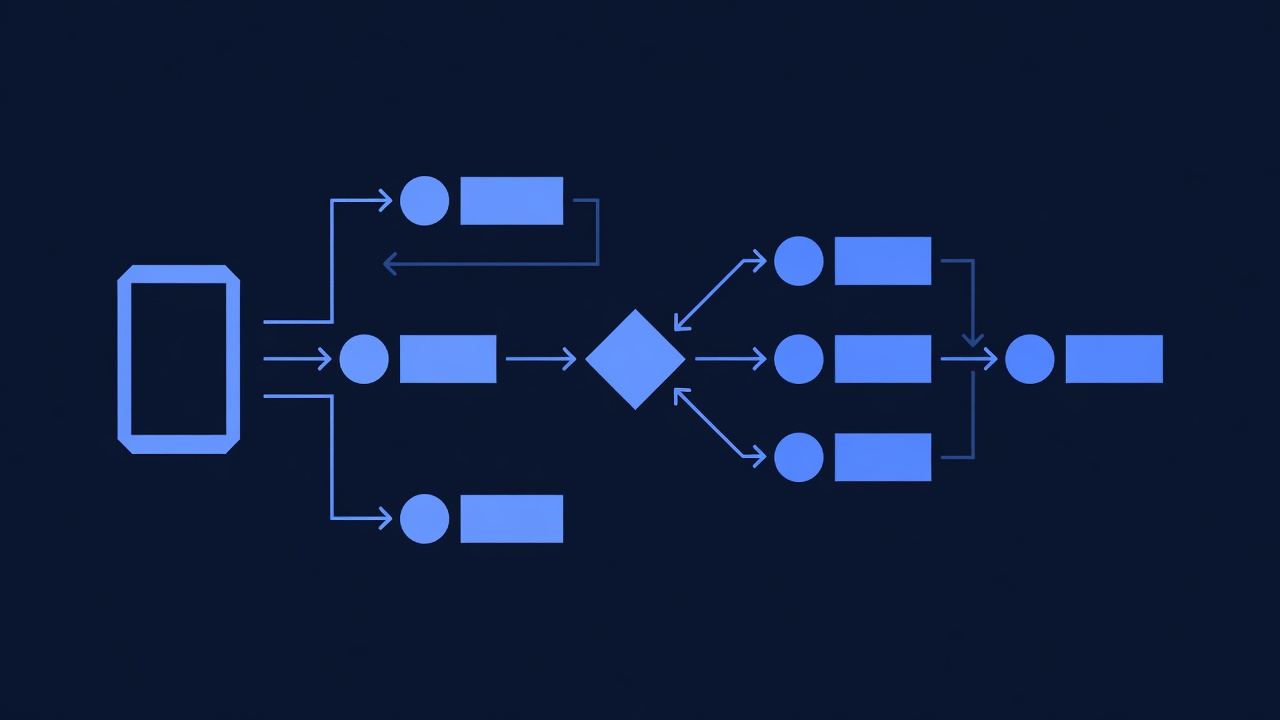
Contacts can reply to your SMS. GHL reads those replies and triggers automations based on keywords or sentiment.
Example flow:
- You send: “Reply YES if interested in our offer”
- Contact replies: “YES”
- GHL automation detects “YES” keyword
- Automation sends: “Great! Here’s your offer link: […]”
Setting Up Keyword-Triggered Automations
Example: “APPLY” Keyword Trigger for Keyword Application Form
Goal: When a contact texts “APPLY”, trigger an automation that sends them an application form or scheduling link.
Step 1: Create Automation
- Automations → Create New Workflow
- Name:
Keyword Trigger – SMS APPLY Response - Start Trigger → Contact Replies with Keyword
- Keyword: APPLY
- Message Channel: SMS (only trigger on SMS replies, not email)
- Click Save
Step 2: Add SMS Response (Immediate)
- Click + after trigger
- Select Send SMS
- Message:
Perfect! Here's your application form: [short-link] Takes 3 minutes. Submit by Friday for fastest approval. - Click Save
Step 3: Add Tags & Follow-Up
- Click + after SMS
- Select Add Tag → “applied-via-sms”
- Click + → Select Send Email (24 hours later)
- Subject: “Your Application Received – Here’s What’s Next”
- Body: Outline next steps in the application process
- Click Save
Step 4: Publish
- Click Publish
Result: Contacts who text “APPLY” are auto-tagged, receive immediate SMS confirmation, and get a follow-up email 24 hours later with application status.
Multi-Keyword Workflow (Advanced Conditional Logic)
Goal: Route contacts based on different reply keywords.
Scenario: SMS says “Reply SALES for our offer or SUPPORT if you have questions”
Setup:
- Create base workflow with trigger: Contact Replies with Keyword → “SALES” OR “SUPPORT”
- Add Conditional Branch:
- If reply contains “SALES”
- Send SMS: “Here’s our offer: [link]. Valid for 24 hours.”
- Add tag “sales-interested”
- Else if reply contains “SUPPORT”
- Send SMS: “Got it. A team member will reach out within 1 hour.”
- Add tag “needs-support”
- Create task for support team
- Else
- Send SMS: “Thanks for reaching out. Could you clarify? Reply SALES or SUPPORT.”
- If reply contains “SALES”
This routing ensures every reply gets the right response, increasing conversion and reducing support friction.
Part 4: SMS Best Practices & Copywriting
Message Length & Character Limits
Rule: Keep SMS under 160 characters to send as a single message (anything over costs 2 credits).
Why: Multi-part SMS are 2x more expensive and 20% less likely to be read.
Tips:
- Use short links (bit.ly, GHL’s link shortener) instead of full URLs
- Avoid long custom field names; use abbreviations
- Remove filler words (“please”, “kindly”, “have a great day”) when unnecessary
- Test message length in GHL before publishing
Examples:
❌ Too long (169 characters, costs 2 credits):
Hi {{firstName}}, thanks so much for downloading our comprehensive guide.
We would like to invite you to our exclusive webinar next Tuesday at 2 PM.
✓ Optimal (156 characters, costs 1 credit):
Thanks for downloading our guide, {{firstName}}!
Join our webinar Tuesday 2pm: [link]
Reply ? for details.
Personalization Tokens
GHL supports these dynamic tokens in SMS:
{{firstName}}- Contact’s first name{{lastName}}- Contact’s last name{{email}}- Contact’s email{{phoneNumber}}- Contact’s phone{{companyName}}- Contact’s company{{customField_xyz}}- Any custom field (ask GHL support for exact token name)
Impact: Using {{firstName}} increases reply rate by 15–20% (personalization effect, verified by industry benchmarks).
High-Converting SMS Templates
Template 1: Appointment Reminder (60–75% confirmation rate)
Reminder: Appointment with {{agentName}} tomorrow at {{appointmentTime}}.
Reply CONFIRM or call [phone] to reschedule.
Template 2: Abandoned Cart (8–12% recovery rate)
Your {{product}} is waiting!
Complete checkout: [link]
Use SAVE15 for 15% off. Expires {{expirationDate}}.
Template 3: Win-Back (8–20% re-engagement rate for service businesses)
Hi {{firstName}}, we haven't heard from you in a while.
Miss us? We have a special offer: [link]
Reply READY to claim 30% off.
Template 4: Offer/Promotion (5–15% click-through rate)
Last 24 hours: {{offerDescription}} at {{discount}}% off.
Shop now: [link]
Reply STOP to unsubscribe.
Template 5: Lead Nurture / Value Add (45% reply rate for action-oriented tips)
Quick tip: {{actionableAdvice}}.
It works because {{reasoning}}.
Have questions? Reply here.
Compliance Language (Non-Negotiable)
Every SMS must include:
- Sender identification (automatically included in GHL SMS)
- Clear opt-out (“Reply STOP to unsubscribe”)
- Contact information (for companies; individual freelancers may be exempt)
Example compliant SMS:
Hi {{firstName}}, your appointment is tomorrow at 2pm.
Reply CONFIRM or CANCEL.
Reply STOP to unsubscribe. — Mallo Digital
(160 characters; meets TCPA requirements)
Part 5: Measuring SMS Automation Performance
Key Metrics to Track
| Metric | Definition | Target | How to Measure in GHL |
|---|---|---|---|
| Delivery Rate | % of SMS successfully delivered (not bounced) | >95% | Automations → [Workflow Name] → Analytics → “Sent” vs. “Delivered” |
| Open Rate | % of SMS opened (clicked on link or replied) | 80%+ (SMS baseline 98%) | Contacts who engaged (replied, clicked link) within 4 hours of send |
| Reply Rate | % of SMS that received a response | 10–45% ( |