

GoHighLevel Pabbly Integration: Complete Setup Guide
You’re running an agency with GoHighLevel for CRM, automations, and scheduling. But your email marketing is scattered: some emails go through GHL’s native email tool, others through a separate email platform, and appointment reminders are manual or unreliable.
You’ve heard Pabbly is a cheap alternative to Zapier for automation and integrations. You’re asking:
- Can I connect GHL to Pabbly to automate workflows and reduce manual work?
- What integrations does Pabbly support alongside GHL?
- How much does Pabbly cost, and when is it better than GHL’s native tools?
- How do I set up contact sync, email workflows, and appointment automation across GHL and Pabbly?
- What are the common pitfalls and how do I avoid them?
This guide answers all of these. It walks you through:
- Why integrate GHL + Pabbly — Cost savings vs. Zapier, unified automation, extended ecosystem
- Pabbly’s role in the GHL stack — Pabbly Connect (automation), Pabbly Email (email marketing), and how they complement GHL
- Cost comparison — Pabbly vs. Zapier vs. GHL native tools; break-even analysis
- Three core workflows:
- Sync GHL contacts to external platforms (email lists, CRM backups)
- Automate appointment reminders and follow-ups across GHL and email
- Trigger multi-step workflows based on contact tags or deal stages
- Step-by-step Pabbly Connect setup — Visual walkthrough for beginners
- Ongoing maintenance — Monitoring, handling failures, cost optimization
By the end, you’ll have a functioning GHL-Pabbly integration that reduces manual work, automates email workflows, and scales as your agency grows.
Key Takeaways
- Pabbly is NOT a direct GHL replacement; it’s a complementary integration layer. GoHighLevel has built-in CRM, email, and automations. Pabbly Connect is an automation middleware (like Zapier, but cheaper). Pabbly Email is a standalone email marketing tool. Use Pabbly when you need to extend GHL’s functionality (e.g., sync GHL contacts to a backup CRM, integrate GHL with non-native platforms) or reduce costs compared to Zapier.
- Cost advantage: Pabbly Connect starts at $19.99/month for unlimited automation tasks (vs. Zapier’s task-limited tiers). If you run 5+ active workflows monthly, Pabbly is cheaper. At 10+ workflows or 500+ task executions/month, Pabbly saves $30–$60/month vs. Zapier Pro.
- Typical GHL + Pabbly setup for agencies: Use GHL for core CRM, scheduling, SMS, and landing pages (your main platform). Use Pabbly Connect to sync GHL contacts to external platforms (email list backup, analytics tools, secondary CRM for redundancy). Use Pabbly Email only if you need a dedicated email tool cheaper than GHL’s native email or want to separate email from GHL (rare; GHL’s email is included in all plans).
- Sync latency: Pabbly checks for new GHL records every 15 minutes by default (configurable; more frequent checks available on higher tiers). Expect 15–30 minute delay between a contact being added to GHL and appearing in a synced external platform. Real-time webhooks are available on Pabbly Premium ($49.99/month) and above.
- Recommended first workflow: Sync new GHL contacts to a Google Sheet as a backup/audit log. Time: 15–20 minutes to set up. Cost: $19.99/month Pabbly (if running no other workflows) or $0 if added to existing Pabbly subscription. Benefit: Instant backup of all new contacts, audit trail for compliance, fallback if GHL has an outage.
- Pabbly Connect vs. Zapier: Both are automation middleware. Pabbly is 40–50% cheaper at higher volumes (unlimited tasks vs. task-based limits). Zapier has a larger app library (5,000+ integrations vs. Pabbly’s 500+). For GHL-specific workflows, both are equally supported. Choose Pabbly if cost is the driver; choose Zapier if you need rare third-party app integrations.
- Do NOT use Pabbly Email if GHL email meets your needs. GHL includes email marketing on all paid plans (Pro: $199/month includes unlimited email sends). Pabbly Email ($19.99–$99.99/month depending on list size) is only cheaper if you’re currently paying for Mailchimp, ConvertKit, or similar separately. For 90% of GHL users, GHL’s native email is sufficient; Pabbly Email adds complexity without benefit.
- Common integration patterns: (1) GHL → Pabbly → Google Sheets (contact backup). (2) GHL → Pabbly → Slack (notify team of new leads). (3) GHL → Pabbly → Mailchimp or Klaviyo (if using email tools outside GHL). (4) GHL → Pabbly → Zapier (if you need rare integrations Pabbly doesn’t support). Most agencies use pattern 1 or 2; pattern 3 is diminishing (consolidate on GHL’s email instead).
- Authentication & data security: Pabbly uses OAuth 2.0 to connect to GHL. You’ll grant Pabbly read/write access to GHL contacts, appointments, and custom fields. Pabbly’s servers are ISO 27001 certified. All data in transit is encrypted (TLS 1.2+). For GDPR/CCPA compliance, ensure contact sync includes deletion workflows (when a contact is deleted in GHL, Pabbly should remove them from synced platforms). Document consent in your privacy policy.
- Scaling considerations: As your agency grows, Pabbly can handle hundreds of workflows and thousands of contacts/day. However, Pabbly has no built-in CRM, reporting, or team collaboration. Keep GHL as your primary platform. Use Pabbly only for integration-specific tasks. If you outgrow Pabbly (very rare), upgrade to Zapier Premium ($99+/month) or custom API solutions (n8n, Make).
- Failure recovery & monitoring: Pabbly logs all task executions. Check the execution log weekly to spot failures (e.g., “GHL contact sync failed due to invalid email”). Failed tasks do NOT auto-retry on free/standard tiers; you must manually re-trigger or restart the workflow. Budget 1–2 hours/month for monitoring and troubleshooting. For critical workflows (e.g., appointment reminders), consider Pabbly Premium (includes auto-retry) or Zapier (has native retry logic).
- When to use GHL native vs. Pabbly: Use GHL’s native automations for CRM-internal workflows (contact tags → send SMS, appointment created → auto-reminder). Use Pabbly for cross-platform integrations (GHL → external tools). GHL’s native automations are faster (executed on GHL servers) and more reliable (tighter integration). Pabbly adds 15–30 min latency but enables flexibility beyond GHL’s ecosystem.
TL;DR Quick Reference
| Question | Answer |
|---|---|
| What is Pabbly in relation to GHL? | Pabbly Connect is automation middleware (like Zapier). Pabbly Email is a standalone email tool. Neither is built into GHL; use them only when extending GHL’s ecosystem. |
| Should I use Pabbly or Zapier? | Pabbly if cost is the priority (40% cheaper at scale). Zapier if you need broad app coverage or native retry logic. For GHL-specific workflows, both work equally well. |
| Cost of Pabbly Connect? | $19.99/month unlimited (covers all agencies under 50 workflows). No per-task or per-operation charges. |
| Can I sync GHL contacts to external tools via Pabbly? | Yes. GHL → Pabbly → Google Sheets, Slack, Mailchimp, Klaviyo, etc. Sync latency: 15–30 min. |
| Do I need Pabbly Email with GHL? | No. GHL’s native email is included and sufficient for 90% of agencies. Use Pabbly Email only if you’re already paying for external email and want to consolidate. |
| How long does setup take? | First workflow: 20–30 min. Subsequent workflows: 10–15 min each. Full integration (3–5 workflows): 1–2 hours. |
| What’s the most popular GHL + Pabbly workflow? | Contact backup to Google Sheets. Provides audit trail, GDPR compliance, and fallback if GHL data is lost. |
| Is Pabbly secure? | Yes. ISO 27001 certified, OAuth 2.0 authentication, TLS 1.2+ encryption. Data is encrypted in transit and at rest. |
| Can I use Pabbly with other tools (not GHL)? | Yes. Pabbly supports 500+ apps (Slack, Mailchimp, Zapier, custom webhooks, etc.). You can build Pabbly workflows without GHL. |
| What happens if Pabbly goes down? | GHL continues to operate normally. Scheduled Pabbly syncs will retry when Pabbly is back online. No data loss, but workflows will be delayed. |
Part 1: Why Integrate GHL + Pabbly?
The Problem: Limited Integrations in GHL
GHL is a powerful platform, but it has gaps:
-
Limited native integrations — GHL natively integrates with Zapier, Make, and webhooks. But if you want to sync contacts to Mailchimp, Klaviyo, HubSpot, or a custom database, you need external automation.
-
Email scattered across tools — Some agencies use GHL’s email, others use Mailchimp or ConvertKit separately. This creates duplicate contact lists and inconsistent sending records.
-
No backup workflows — If GHL has an outage or you accidentally delete contacts, there’s no automatic backup to an external source (Google Sheets, secondary CRM).
-
No team notifications — When a new lead arrives in GHL, your team has to check GHL to see it. Pabbly can send an instant Slack notification.
-
High cost if using Zapier — If you’re currently using Zapier to extend GHL, Pabbly is 40% cheaper and includes unlimited tasks.
The Solution: GHL + Pabbly
Pabbly fills these gaps:
- Contact backup — GHL → Pabbly → Google Sheets (automatic, always current)
- Email consolidation — Sync GHL contacts to Mailchimp/Klaviyo if needed, or use Pabbly Email as a lightweight alternative
- Team notifications — GHL new contact → Pabbly → Slack message to #leads channel
- Multi-platform workflows — GHL appointment → Pabbly → Send reminder via SMS (GHL) AND email (Mailchimp) AND Slack notification
- Cost savings — Replace Zapier with Pabbly’s unlimited-task tier for $19.99/month
Example: Real Agency Workflow (Before & After)
Before (disconnected):
- Lead fills GHL booking form → GHL calendar updated
- Admin manually checks GHL dashboard (forgets sometimes)
- Admin sends email reminder to lead via Gmail (no record in GHL)
- Appointment happens; no automatic follow-up
- Admin manually logs appointment in a Google Sheet for reporting
Labor cost: 2 hours/week of manual work = ~$100/week = $400/month
After (GHL + Pabbly integrated):
- Lead fills GHL booking form → GHL contact created + appointment scheduled
- Pabbly detects new appointment → Sends Slack alert to #leads channel (instant)
- Pabbly adds lead to Google Sheet automatically (audit trail)
- 24 hours before appointment → GHL automation sends SMS reminder (built-in)
- Pabbly emails reminder via Mailchimp (if used) + logs in Sheet
- After appointment → GHL task created automatically → Pabbly logs to Sheet
Labor cost: 10 minutes/week of monitoring = ~$10/week = $40/month
Monthly savings: $400 – $40 = $360/month labor savings. At Pabbly cost of $19.99/month, ROI is 18:1 (payback in 3 days).
Part 2: Pabbly’s Role in the GHL Ecosystem

The GHL Stack (What You Have)
| Layer | What It Does | Examples |
|---|---|---|
| Core CRM | Store contacts, track lifecycle | GHL Contacts, Tags, Custom Fields |
| Send campaigns, sequences, broadcasts | GHL Email Marketing (included in all plans) | |
| Automations | Trigger workflows based on contact actions | GHL Automations (e.g., “If tag = ‘qualified’, send SMS”) |
| SMS | Send text messages | GHL SMS (charged per message, ~$0.01–$0.025) |
| Scheduling | Calendar, appointments, booking links | GHL Calendar, Booking Pages |
| Landing Pages | Opt-in forms, sales pages | GHL Pages (unlimited on Pro+) |
Limitation: All workflows are internal to GHL. No integration with Mailchimp, Slack, HubSpot, or custom databases without external automation.
The Extended Stack (What Pabbly Adds)
| Layer | What It Does | Examples |
|---|---|---|
| Automation Middleware | Connect GHL to external tools | Pabbly Connect (automation logic) |
| Contact Sync | Export GHL contacts to external platforms | GHL → Pabbly → Google Sheets, Mailchimp, Slack |
| Email (Optional) | Standalone email marketing (separate from GHL) | Pabbly Email (if you don’t use GHL’s email) |
| Backup & Compliance | Archive contacts, audit trails | GHL → Pabbly → Google Sheets (GDPR/CCPA audit log) |
| Team Notifications | Alert team members instantly | GHL new lead → Pabbly → Slack, email, SMS |
Why Pabbly instead of Zapier?
| Criteria | Pabbly | Zapier |
|---|---|---|
| Cost | $19.99/month (unlimited) | $19–$99/month (task-limited) |
| Latency | 15 min polling (standard) → 1 min (Premium) | 5–15 min polling |
| App count | 500+ | 5,000+ |
| Ease of use | Medium | High |
| Retry logic | Manual (standard) → Auto (Premium) | Auto (all tiers) |
| For GHL users | 40% cheaper at scale | Better if you need rare third-party apps |
Part 3: Cost Analysis
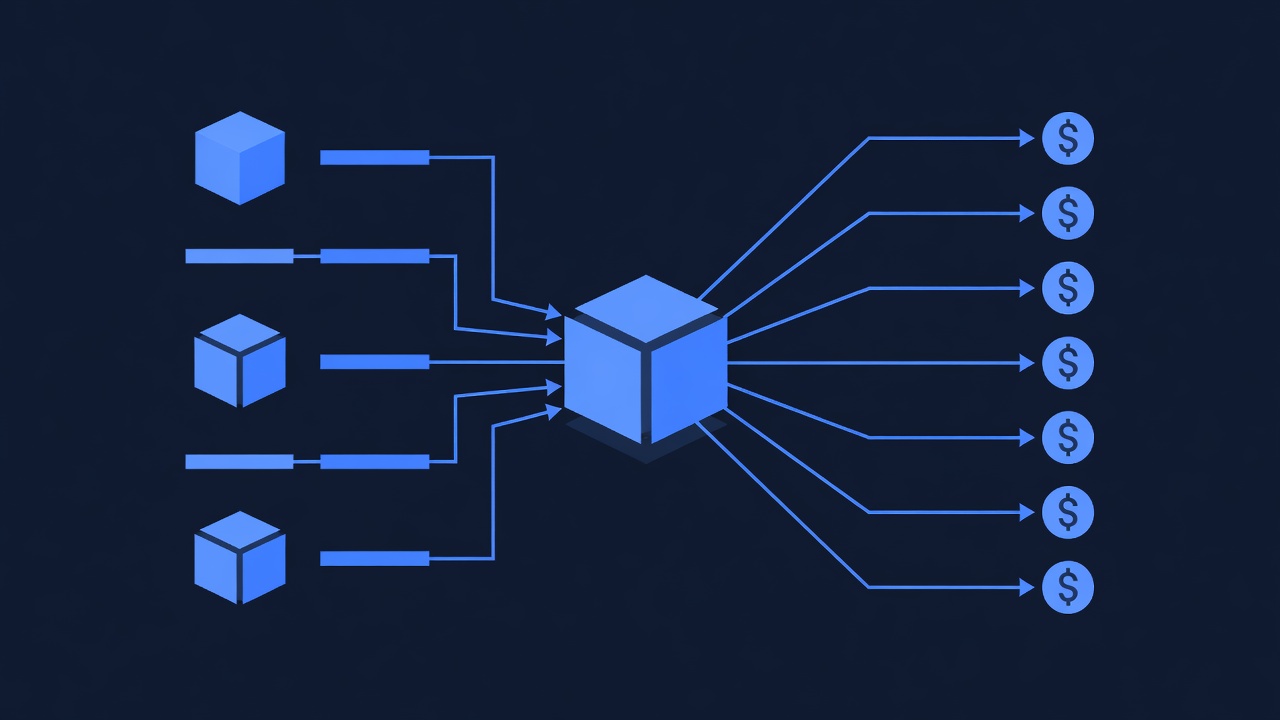
Pabbly Connect Pricing (Automation Layer)
| Tier | Monthly Cost | Task Limit | Best For | Notes |
|---|---|---|---|---|
| Free | $0 | 50 tasks/month | Testing, 1 simple workflow | No webhooks, 15 min polling only |
| Standard | $19.99 | Unlimited | Most agencies | 15 min polling, no webhook triggers |
| Premium | $49.99 | Unlimited | Growing agencies | 1 min polling, webhook triggers, auto-retry |
| Business | $99.99 | Unlimited | Large teams | 1 min polling, webhooks, priority support |
“Task” definition: One task = one complete workflow execution (trigger + all actions). Example: GHL new contact → create Slack message → add to Google Sheet = 1 task.
Pabbly Email Pricing (Optional Email Marketing Layer)
| Subscribers | Monthly Cost | Email Limit | Best For |
|---|---|---|---|
| Up to 1,000 | $19.99 | Unlimited sends | Small lists, testing |
| Up to 10,000 | $49.99 | Unlimited sends | Growing agencies |
| Up to 50,000 | $99.99 | Unlimited sends | Established agencies |
Note: Pabbly Email is cheaper than Mailchimp ($20 for 1,000 subscribers at Mailchimp vs. $19.99 for unlimited sends at Pabbly). However, GHL’s email is cheaper than both (included in Pro at $199/month = ~$0.40/subscriber/month for 500 contacts). Choose Pabbly Email only if you’re already paying for external email or need features GHL doesn’t have.
Real Cost Scenarios
Scenario A: Small Agency (50 contacts/month, 1 workflow)
| Solution | Monthly Cost | Notes |
|---|---|---|
| GHL only | $199 (Pro) | Email built-in, no Pabbly needed |
| GHL + Pabbly Connect (free tier) | $199 | 50 tasks/month within free limit |
| GHL + Pabbly Connect (standard) | $218.99 | If you need > 50 tasks/month or want reliability |
Recommendation: GHL alone; Pabbly not needed yet.
Scenario B: Growing Agency (300 contacts/month, 5 workflows: contact backup, Slack notifications, email sync, appointment reminders, team email alerts)
| Solution | Monthly Cost | Task Execution | Notes |
|---|---|---|---|
| GHL + Zapier Pro | $199 + $19 = $218 | 500 tasks/month; contact backup = 300 tasks/month, leaves 200 for other workflows | Limits total workflows; expensive if you add more |
| GHL + Pabbly Standard | $199 + $19.99 = $218.99 | Unlimited; 5 workflows × 300 tasks = 1,500 tasks/month easily accommodated | Slightly more expensive, but unlimited tasks |
| GHL + Pabbly Premium | $199 + $49.99 = $248.99 | Unlimited + webhook triggers + auto-retry | More expensive, but faster sync (1 min vs. 15 min) and reliability |
Recommendation: Pabbly Standard at $218.99/month. Slightly more than Zapier Pro, but unlimited tasks and no per-task worries.
Scenario C: Large Agency (1,000 contacts/month, 10+ workflows, need real-time sync)
| Solution | Monthly Cost | Task Execution | Notes |
|---|---|---|---|
| GHL + Zapier Pro | $199 + $19 = $218 | 500 tasks/month; insufficient; upgrade to Zapier Team ($99/month) = $298 total | Expensive and still may hit limits |
| GHL + Zapier Team ($99) | $199 + $99 = $298 | 2,000 tasks/month; contact backup = 1,000/month, leaves 1,000 for 9 workflows | Expensive |
| GHL + Pabbly Premium | $199 + $49.99 = $248.99 | Unlimited; 10 workflows × 1,000 tasks = 10,000/month easily accommodated | Cheapest option, includes webhook triggers for real-time sync |
Recommendation: Pabbly Premium at $248.99/month. Saves $50/month vs. Zapier Team, includes unlimited tasks and real-time webhooks.
Break-Even Analysis: Pabbly vs. Zapier
| Workflow Count | Contact/Task Volume/Month | Zapier Cost | Pabbly Cost | Pabbly Savings |
|---|---|---|---|---|
| 1–2 | 50–100 | $19 (Pro) | $19.99 (Std) | $0 (same tier) |
| 3–5 | 200–500 | $19 (Pro) | $19.99 (Std) | $0 (same tier) |
| 5–8 | 500–1,000 | $99 (Team) | $19.99 (Std) | $79/month |
| 10+ | 1,000+ | $99+ (Team) | $49.99 (Premium) | $49–$50/month |
Crossover point: At 5+ active workflows or 500+ task executions/month, Pabbly becomes cheaper and scales better than Zapier.
Part 4: Core Integration Workflows
Workflow 1: Backup GHL Contacts to Google Sheets
Goal: Every new contact in GHL is automatically added to a Google Sheet for audit trail, backup, and GDPR/CCPA compliance.
Architecture:
GHL new contact created
  ↓ (Pabbly detects via polling every 15 min)
  ↓
Check: Does contact already exist in Sheet? (avoid duplicates)
  ↓ (No) → Add row to Google Sheet with all contact details
  ↓ (Yes) → Update existing row with new information
  ↓
Log completion in Pabbly execution history
Why this workflow?
- Backup: If GHL data is lost, you have a copy in Google Sheets
- Audit trail: Record when contacts were added, by whom (via GHL), what tags they have
- GDPR/CCPA: Maintain deletion records (when you delete a contact in GHL, also delete from Sheet for compliance)
- Reporting: Export Sheet to analyze contact sources, conversion rates, etc.
Preparation: Create Google Sheet Template
- Open Google Sheets (sheets.google.com)
- Create new sheet: “GHL Contact Backup”
- Add headers (row 1):
- A: “Contact ID” (GHL unique identifier)
- B: “First Name”
- C: “Last Name”
- D: “Email”
- E: “Phone”
- F: “Company”
- G: “Tags” (comma-separated)
- H: “Created At” (timestamp)
- I: “Last Updated” (timestamp)
- J: “Custom Field: Budget” (if GHL has this)
- K: “Custom Field: Service Type” (if GHL has this)
- Save the sheet
- Copy the sheet URL for use in Pabbly
Pabbly Setup: Contact Backup Workflow
Step 1: Create New Workflow
- Log into Pabbly (https://pabbly.com)
- Click Create New Automation
- Name: “GHL Contact Backup to Google Sheets”
Step 2: Add Trigger
- Click + → Search “GoHighLevel”
- Select New Contact
- Click Connect Account:
- Log into your GHL account
- Authorize Pabbly to read contacts
- Pabbly shows sample contact (verify all fields are visible, including custom fields)
- Click Save
Step 3: Add Lookup — Check if Contact Exists in Sheet
- Click + → Search “Google Sheets”
- Select Find Row (or “Search Rows”)
- Connect Google account:
- Authorize Pabbly to access Google Sheets
- Select the “GHL Contact Backup” sheet
- Search by: Email (column D)
- Value to search:
{{email}}(from trigger) - Click Save
Step 4: Add Conditional Logic
- Click + → Select Condition
- If lookup (Step 3) “returned no results”:
- Then → Add new row (Step 5a)
- Else → Update existing row (Step 5b)
Step 5a: Add New Row (If Contact Not Found)
- In the Then branch, click + → Search “Google Sheets”
- Select Add Row
- Sheet: “GHL Contact Backup”
- Map columns:
- A (Contact ID):
{{contactId}} - B (First Name):
{{firstName}} - C (Last Name):
{{lastName}} - D (Email):
{{email}} - E (Phone):
{{phone}} - F (Company):
{{company}} - G (Tags):
{{tags}}(as comma-separated string) - H (Created At):
{{createdAt}}(timestamp) - I (Last Updated):
{{NOW()}}(current time) - J (Budget):
{{customField_budget}} - K (Service Type):
{{customField_serviceType}}
- A (Contact ID):
- Click Save
Step 5b: Update Existing Row (If Contact Found)
- In the Else branch, click + → Search “Google Sheets”
- Select Update Row
- Sheet: “GHL Contact Backup”
- Row ID:
{{rowId}}(returned by lookup in Step 3) - Map columns (same as Step 5a; only update fields that may have changed: phone, company, tags, last updated timestamp)
- Click Save
Step 6: Activate Workflow
- Review the workflow summary:
- Trigger: GHL new contact
- Lookup: Check Google Sheet
- Condition: If new, add row; else update row
- Click Activate
- Workflow is live; checks for new GHL contacts every 15 minutes
Testing:
- Create a test contact in GHL
- Wait 15 minutes (or check Pabbly execution log to force a check)
- Open Google Sheet → New row appears with all contact details
- Create a second contact with same email as first → Pabbly finds existing row, updates it instead of creating duplicate
- Verify Pabbly execution log shows 1 task per contact (contact added) or 0 if contact already backed up
Expected behavior:
- New contact added to GHL
- Pabbly detects within 15 minutes
- Contact details transferred to Google Sheet automatically
- Backup is real-time (within 15–30 min)
- Audit trail shows when contact was backed up
Workflow 2: Notify Slack on New GHL Contact (With Contact Details)
Goal: When a new contact is added to GHL, send a Slack message to a team channel with contact details (name, email, company, tags).
Architecture:
GHL new contact created
  ↓ (Pabbly detects)
  ↓
Get all contact details (lookup in case trigger didn't include all fields)
  ↓
Format message (name, email, tags, custom fields)
  ↓
Send formatted message to Slack channel #leads
  ↓
Log completion
Why this workflow?
- Real-time awareness: Team sees new leads instantly (Slack notification) instead of checking GHL dashboard
- Faster follow-up: Sales team can begin outreach within minutes of contact creation
- Visibility: Entire team knows who’s joining, what company, what they’re interested in
- Accountability: Slack message serves as a time-stamp (“lead arrived at 2:05 PM”)
Pabbly Setup: Slack Notification Workflow
Step 1: Create New Workflow
- Log into Pabbly
- Click Create New Automation
- Name: “GHL New Contact → Slack Alert”
Step 2: Add Trigger
- Click + → Search “GoHighLevel”
- Select New Contact
- Connect GHL account (same as Workflow 1)
- Click Save
Step 3: Add Action — Send Slack Message
- Click + → Search “Slack”
- Select Send Message
- Click Connect Account:
- Log into Slack
- Authorize Pabbly to send messages
- Select workspace
- Channel: Select #leads (or create a new channel #ghl-leads)
- Message Text (format as:):
🎉 New Lead: {{firstName}} {{lastName}} 📧 {{email}} 📞 {{phone}} 🏢 {{company}} 🏷️ Tags: {{tags}} - Click Save
Step 4: Activate Workflow
- Click Activate
- Workflow is live
Testing:
- Create a test contact in GHL
- Wait 15 minutes
- Check Slack #leads channel → Message appears with contact details
- Verify message format is readable and all fields are populated
Expected behavior:
- Contact created in GHL at 2:00 PM
- Slack message sent by 2:15 PM
- Team sees notification in #leads channel
- Message includes name, email, phone, company, tags
Workflow 3: Sync GHL Appointments to Slack (With Reminder)
Goal: When an appointment is scheduled in GHL, send a Slack reminder to relevant team members.
Architecture:
GHL new appointment created
  ↓
Lookup: Find contact details (name, email, etc.)
  ↓
Format message (contact name, appointment date/time, notes)
  ↓
Send to Slack channel #calendar or @assigned_user
  ↓
(Optional) Schedule reminder 1 hour before appointment
Why this workflow?
- Automatic reminders: No need to manually check GHL calendar
- Team coordination: Entire team knows who’s on calls, when
- Prep time: Team can review contact notes before appointment
Pabbly Setup: Appointment Alert Workflow
Step 1: Create New Workflow
- Log into Pabbly
- Click Create New Automation
- Name: “GHL Appointment → Slack