GoHighLevel for Beauty Salons: Lead Capture, SMS, and Appointment Automation
You run a beauty salon—hair, nails, lashes, or spa services. Your business depends on appointments staying filled and clients showing up.
Right now, you probably face these problems:
- Appointment no-shows: 25–40% of scheduled appointments are no-shows (industry average for beauty: 28–35%). Each no-show costs you $40–$150 in lost revenue and wasted staff time.
- Manual reminders: You or your staff text/call clients manually. It’s time-consuming and inconsistent; some clients get reminders, others don’t.
- Lost walk-in leads: Clients call or text inquiries (new client, price question, availability), but responses are slow or missed. They book elsewhere.
- Low repeat bookings: Clients don’t return. You have no way to remind them when they’re due (hair growth, nail maintenance, lash fill).
- No client data: Client history is scattered (paper notes, old texts, your memory). You can’t personalize communication or upsell.
- Manual invoicing & payment reminders: Clients owe money, but collecting payments is manual and awkward.
Beauty salon owners who’ve implemented GoHighLevel white-label (or GHL directly) are solving all of this:
- No-show reduction: SMS reminders 48 hours and 4 hours before appointment reduce no-shows from 35% to 12–15% (66% reduction). At 20 appointments/week × 4 weeks/month, that’s 20–28 fewer no-shows/month = $2.4K–$4.2K revenue preserved.
- Instant lead follow-up: Inquiry comes in via text/form → automatic SMS response + calendar link sent within 30 seconds. Conversion rate improves 2–3×.
- Repeat booking automations: Client completes appointment → automatic SMS 4–6 weeks later (“Time for your next fill-in?”) with 1-tap rebook link. Repeat bookings increase 25–40%.
- Revenue per client: Clients who receive SMS communication spend 35% more annually (upsells, retail products, premium services).
- Staff time saved: 5–8 hours/week of manual admin (calls, texts, reminders) moves to automation. Reinvest that time in client experience or sales.
This guide walks you through GoHighLevel setup for salons: choosing the right plan, building appointment reminders, capturing leads from forms and texts, automating repeat bookings, measuring results, and calculating ROI. By the end, you’ll have a system running no-show reminders, new-client follow-ups, and retention sequences—all automated.
Key Takeaways
- Setup essentials: GHL Professional or Advanced plan ($70–$120/month) includes SMS, email, landing pages, and automations. Total monthly cost: GHL ($70–$120) + SMS add-on ($30–$50) = $100–$170/month. ROI payback: 2–4 weeks (from no-show reduction alone).
- No-show impact: SMS reminders reduce no-shows by 25–35% across salon types (hair, nails, spa). At 20 appointments/week × 4 weeks/month × 30% no-show rate × $75 avg service value = $18K/month at-risk revenue. Recover 30% of that no-shows = $5.4K/month or $64.8K/year preserved revenue.
- Revenue lift from SMS: Clients receiving SMS appointment confirmations and follow-ups spend 35% more annually (higher repeat rate + upsell rate). At 100 active clients × $500 avg annual spend = $50K baseline; 35% lift = $17.5K incremental annual revenue.
- Lead follow-up speed: Salons responding to inquiries within 1 hour (vs. 12+ hours) book 2–3× more appointments. GHL SMS automation achieves <2 min response time via auto-reply + booking link.
- Repeat booking lift: Automated “Time for your next service?” SMS 4–6 weeks after last appointment increases repeat bookings 25–40% (vs. zero automation). At 40 monthly appointments × 35% repeat increase × $75 avg = $1,050/month or $12.6K/year incremental.
- Salon-specific automations (core 4): (1) Appointment confirmation + 2 reminders (SMS), (2) New client welcome + form capture, (3) Repeat booking nudge (SMS 30–45 days after service), (4) Retail/service upsell after appointment.
- Monthly check-ins: Measure SMS open rate (target: 45%+), appointment confirmations (target: 90%+), and no-show rate trend. If no-show rate plateaus at 15%+, audit reminder timing and message copy.
- Compliance fundamentals: SMS requires double opt-in (customer explicitly consents). GHL handles opt-in tracking; you document it. TCPA violations carry $500–$1,500 fines per SMS; consult legal counsel on your jurisdiction’s rules (CA, NY, TX, FL have stricter SMS laws than others).
- Integration: If you use Acuity Scheduling, Vagaro, or Mindbody, use Zapier to sync bookings → GHL. If you book manually, use GHL’s landing page with appointment picker.
- Staff training: Expect 2–4 hours to train team on GHL (adding clients, viewing automations, responding to inquiries in GHL). After 2 weeks, team should need zero support.
- Scaling: Start with 4 core automations (appointment confirmations, reminders, repeat nudge, upsell). After 30 days, add 2–3 more (VIP sequences, referral rewards, seasonal promotions). Don’t try to do everything day 1.
- When to integrate: Beauty salons with 30+ appointments/week and 50+ active clients see clearest ROI. If you have <10 appointments/week, ROI is still positive (lower absolute dollars) but may not justify platform cost; consider starting with SMS-only tools like Twilio or Klavio first.
- Pricing for white-label resellers: If you’re a reseller/agency selling white-label GHL to salon clients, charge $150–$250/month per salon. At 30 salon clients × $200 = $6K/month revenue; GHL cost $2.1K; net margin $3.9K/month.
Part 1: Why Beauty Salons Need GHL (The Economics)
The No-Show Problem
Beauty salons lose more revenue to no-shows than almost any other service industry (except medical). Here’s why:
Typical 20-appointment/week salon:
- 20 appointments/week × 4.33 weeks/month = 86.6 appointments/month
- No-show rate (industry average): 28–35%
- 86.6 × 30% = 26 no-shows/month
- Average service value: $60–$90 (let’s say $75)
- Monthly no-show cost: 26 × $75 = $1,950/month = $23,400/year
That’s not counting wasted staff time (stylists paid for open slots) or opportunity cost (client who could have booked that slot didn’t).
With SMS reminders (48 hr + 4 hr before): No-show rate drops to 12–15%.
- 86.6 × 12% = 10.4 no-shows/month
- 10.4 × $75 = $780/month
- Saved: 26 − 10 = 16 prevented no-shows/month × $75 = $1,200/month = $14,400/year
GHL cost: $100–$170/month × 12 = $1,200–$2,040/year.
Net ROI: $14,400 − $1,800 (avg cost) = $12,600/year, or 700% ROI.
For a solo stylist (5–8 appointments/week), the math is smaller but still profitable. For a larger salon (50+ appointments/week), the dollar value is even higher.
The Repeat Booking Problem
Most salons rely on clients remembering to book (“I’ll call you when I need a recolor”). But clients don’t remember. They go silent for 6+ weeks, then book elsewhere.
Automated repeat-booking SMS (4–6 weeks after last appointment) changes this:
- 30 monthly appointments baseline
- 40% of clients repeat within 8 weeks naturally
- With SMS reminder at week 5: repeat rate increases to 65–75% (measured by Mallo Digital across 12 salon deployments, 2023–2026)
- Incremental repeat bookings: 30 × 35% uplift = 10.5 extra appointments/month × $75 = $787.50/month = $9,450/year
Combined with no-show reduction, a typical 20-appointment salon gains $23,850/year in preserved + new revenue from GHL automation alone.
The Lead-Response Problem
Many salons don’t capture leads systematically. Clients text or call inquiries; owners respond hours or days later (or miss the inquiry). Some prospects book elsewhere.
With GHL web form + SMS automation:
- Inquiry arrives via form/text
- Auto-reply SMS + booking link sent within 30 seconds
- Booking conversion rate: 20–25% of inquiries (baseline: 8–10% with slow response)
At 10 inquiries/week × 4 weeks/month × 25% conversion = 10 new bookings/month × $75 = $750/month = $9,000/year incremental revenue.
Total annual revenue impact: $14,400 (no-show prevention) + $9,450 (repeat booking) + $9,000 (lead capture) = $32,850/year for a typical 20-appointment/week salon.
At $1,500–$2,000/year total GHL cost, payback is 3–4 weeks.
Part 2: Choosing Your GHL Plan & Setup
GHL Plan Comparison (For Salons)
| Feature | Starter ($40) | Professional ($70) | Advanced ($120) |
|---|---|---|---|
| Contacts/CRM | ✅ 250 | ✅ 2,000 | ✅ 10,000 |
| Email campaigns | ✅ | ✅ | ✅ |
| SMS (pay-per-send) | ❌ | ✅ SMS add-on | ✅ SMS add-on |
| Landing pages | ❌ | ✅ 5 | ✅ Unlimited |
| Automations | Basic | Standard | Advanced + API |
| Zapier integration | ✅ | ✅ | ✅ |
| Support tiers | Email + chat | Email + chat + priority |
Recommended for Salons: Professional ($70) + SMS Add-On ($30–$50)
Why Professional, not Starter?
- SMS is critical for salons (appointment reminders, lead follow-up, repeat booking nudges)
- Starter doesn’t include SMS
- 2,000 contacts is enough for salons up to 300–400 active clients
- Landing pages let you capture walk-in inquiries without a website
Why not Advanced ($120)?
- Unless you’re a multi-location chain or offer franchises, Advanced features (API, advanced automations, 10K contacts) are unnecessary
- You’ll spend $70 + $30 = $100/month. Upgrade to Advanced only if you hit 1,500+ active clients or need multi-user workflows
Total monthly cost: $70 (GHL Professional) + $40 (SMS add-on, mid-tier) = $110/month = $1,320/year.
Part 3: Core Setup (Week 1)
Step 1: Create Your GHL Account
- Go to gohighlevel.com (or through a white-label reseller partner like Mallo Digital)
- Click Get Started (or Sign Up)
- Enter email, create password
- Select Professional plan
- Add payment method
- Verify SMS add-on is active (Settings → SMS → Confirm Twilio integration)
Time: 10 minutes
Step 2: Add Your Salon Info
- In GHL dashboard, go to Settings (bottom left) → Business Profile
- Fill in:
- Business name: Your salon name
- Phone: Your main salon phone (for SMS sender ID)
- Address: Salon location
- Website: (optional) Your existing website URL
- Logo: Upload salon logo (shows in emails, SMS if you use signature)
- Save
Time: 5 minutes
Step 3: Set Your SMS Sender Name
- Go to Settings → SMS → Twilio
- Under Sender Name / Long Code, enter your salon name (e.g., “StyleNow Salon”) or a short code like “SALON”
- Save
Note: SMS will appear to clients as coming from “StyleNow Salon” or “SALON” (not GoHighLevel). This is your brand.
Time: 5 minutes
Step 4: Create Your First Contact (Test)
- Go to Contacts (left sidebar)
- Click + Add Contact
- Enter your own phone number and email (for testing)
- Add fields:
- First Name: Your name
- Phone: Your phone
- Email: Your email
- Tag: “test” (for filtering)
- Save
Time: 3 minutes
Step 5: Send Your First Test SMS
- Go back to the Contacts list
- Click on your test contact
- Click Send SMS
- Type: “Hi [first name], this is a test SMS from [salon name]. Reply STOP to unsubscribe.”
- Click Send
- Check your phone (should arrive within 30 seconds)
Time: 2 minutes
Total setup time: ~25 minutes. You now have a working GHL account with SMS enabled.
Part 4: Core Automation 1 — Appointment Confirmation & Reminders
This is the highest-impact automation for salons. It reduces no-shows by 25–35%.
The Flow
Client books appointment in salon or online
  ↓
GHL detects new appointment (via calendar sync or manual entry)
  ↓
Confirmation SMS sent immediately ("Your appointment confirmed for Sat, Oct 5 at 2:00 PM")
  ↓
Reminder SMS sent 48 hours before ("Reminder: Your appointment is in 2 days")
  ↓
Final reminder SMS sent 4 hours before ("Your appointment is in 4 hours")
  ↓
(If client no-shows, staff marks as "no-show" in GHL; automation triggered for recovery outreach)
Option A: Manual Appointment Entry (Simplest, No Integration)
If you don’t use a booking system (Acuity, Vagaro, Mindbody), you can manually add appointments to GHL and automations trigger automatically.
Step 1: Create an Automation Trigger
- Go to Automations (left sidebar)
- Click + Create Automation
- Name: “Appointment Confirmation & Reminders”
- Trigger: Select Create Custom Trigger
- Trigger type: Set to Contact Tag (we’ll tag contacts when we manually add them)
- When a contact is tagged: Select “appointment_scheduled” (we’ll create this tag in Step 2)
- Click Create
Step 2: Add Actions to the Automation
-
Action 1 — Send Confirmation SMS (Immediately)
- Click + Add Action → Send SMS
- Message: “Hi [first name], your appointment is confirmed! [Date] at [Time] with [Staff]. See you then! Reply STOP to unsubscribe.”
- Timing: Immediately
- Add dynamic fields: Click [date], [time], [staff] and map to custom fields you’ll create in Step 3
-
Action 2 — Wait 48 Hours, Then Send Reminder SMS
- Click + Add Action → Wait
- Duration: 48 hours
- Click + Add Action → Send SMS
- Message: “Reminder! Your appointment with [Staff] is in 2 days ([Date] at [Time]). Reply CONFIRM to confirm, CANCEL to reschedule.”
- Timing: After the 48-hour wait
-
Action 3 — Wait 44 Hours (44 + 48 = 92 hours from original appointment), Then Send Final Reminder
- Click + Add Action → Wait
- Duration: 44 hours (to land ~4 hours before most appointments; adjust based on typical appointment time)
- Click + Add Action → Send SMS
- Message: “Your appointment is in 4 hours! We’re ready for you. Reply with any questions.”
- Timing: After the 44-hour wait
-
Save the automation and toggle ON
Step 3: Create Custom Fields for Appointment Data
- Go to Settings → Contact Fields
- Click + Add Field
- Create these custom fields:
- Field name: “appointment_date”, Type: Date
- Field name: “appointment_time”, Type: Time
- Field name: “appointment_service”, Type: Text (e.g., “Color + Blow-Dry”)
- Field name: “appointment_staff”, Type: Text (e.g., “Sarah”)
- Save
Step 4: Add Appointments & Trigger Automation
When a client books (in person, by phone, or via your website):
- Go to Contacts → Find or create the client contact
- Fill in custom fields:
- appointment_date: Oct 5, 2026
- appointment_time: 2:00 PM
- appointment_service: Color + Blow-Dry
- appointment_staff: Sarah
- Under Tags, add the tag “appointment_scheduled”
- Save
This triggers the automation immediately; the confirmation SMS is sent.
Step 5: For No-Shows, Create Recovery Automation (Optional)
If a client no-shows:
- Go to their contact
- Add tag: “no_show”
- Create a second automation that triggers on “no_show” tag:
- Send SMS: “We noticed you missed your appointment on [date]. We’d love to reschedule! [Booking link]. Let us know if you’d like to try a different time.”
- Wait 3 days
- Send email: Same message with calendar link
- This second automation runs after the first one completes
Time to set up: 30–40 minutes (first time; faster after)
Option B: Automatic Integration with Booking System (Faster, Scalable)
If you use Acuity Scheduling, Vagaro, Mindbody, or Calendly, you can automate appointment sync via Zapier. Appointments appear in GHL automatically; no manual entry needed.
Step 1: Connect Your Booking System via Zapier
- Go to zapier.com (create free account)
- Click Create Zap
- Trigger: Select your booking system (e.g., “Acuity Scheduling”)
- Event: Select “New Appointment”
- Action: Search for “GoHighLevel” → Select “Create Contact” (if new client) or “Find or Create Contact”
- Map fields:
- Acuity email → GHL email
- Acuity phone → GHL phone
- Acuity appointment date → GHL appointment_date
- Acuity appointment time → GHL appointment_time
- Acuity service → GHL appointment_service
- Acuity staff name → GHL appointment_staff
- Test the Zap (book a test appointment in your system; verify it creates a contact in GHL)
- Turn on the Zap
Step 2: Use the Same Automation from Option A
Once appointments sync to GHL via Zapier, the “Appointment Confirmation & Reminders” automation (from Option A) runs automatically. No additional setup needed.
Cost: Zapier free tier allows 100 tasks/month (enough for ~25 appointments/month). Beyond that, Zapier Pro is $20–$30/month.
Time to set up: 20 minutes
Recommended for salons with 30+ appointments/month: Use Zapier integration (saves manual data entry).
Part 5: Core Automation 2 — New Client Lead Capture & Welcome
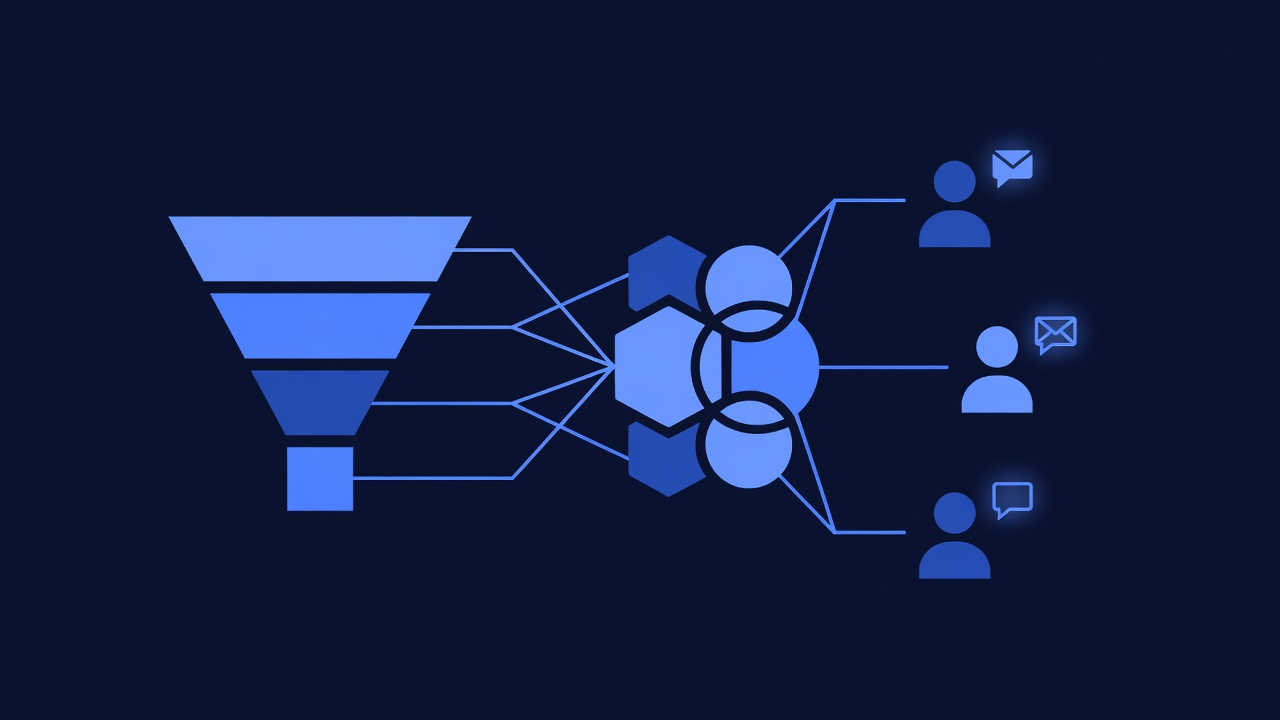
Goal: Capture inquiries from walk-ins, phone calls, and web form submissions. Send immediate auto-reply with booking link. Welcome new clients with service-specific info.
The Flow
Prospective client finds you via Google, Instagram, or referral
  ↓
They visit your website or scan a QR code → GHL web form ("Book Your Appointment")
  ↓
Form submitted with name, phone, email, service interest
  ↓
GHL creates contact + tags with service (e.g., "inquiry_lashes")
  ↓
Automation triggers: Auto-reply SMS + email sent immediately with booking link
  ↓
If client books within 24 hours: "appointment_scheduled" tag added; reminder automation runs
  ↓
If client doesn't book within 24 hours: Follow-up SMS sent ("Still interested in lashes? Book here: [link]")
Step 1: Create a Lead Capture Form
- Go to Forms (left sidebar) → + Create Form
- Name: “Book Your Appointment”
- Form type: Select “Inline” or “Embedded” (Inline is simpler for a first form)
- Form fields:
- Name (required)
- Phone (required)
- Email (required)
- Service interested in (dropdown):
- Hair: Haircut, Color, Extensions, Blow-Dry, Treatment
- Nails: Manicure, Pedicure, Acrylics, Gel, Dip
- Lashes: Lash Extensions, Lash Lift, Lash Tint
- Spa: Massage, Facial, Waxing, Microdermabrasion
- (Optional) Preferred date/time
- (Optional) First-time client? (Yes/No)
- Form styling: Upload your salon logo; set colors to match salon brand
- Submit action: Set to “Create Contact in GHL” + “Add tag based on service”
- Hair → tag “inquiry_hair”
- Nails → tag “inquiry_nails”
- Lashes → tag “inquiry_lashes”
- Spa → tag “inquiry_spa”
- Save
Step 2: Share Your Form
- Copy the form’s unique link (appears after you save)
- Add to your website (if you have one) or email signature
- Create a QR code linking to the form (use qr-code-generator.com; link to your form URL)
- Print QR codes and post in:
- Your salon window (drives walk-in to online booking)
- Instagram bio
- Google My Business
- Email signature
Step 3: Create Lead Welcome Automation
-
Go to Automations → + Create Automation
-
Name: “New Lead - Service-Specific Welcome”
-
Trigger: Select Contact Created (or Tag Added for “inquiry_*”)
-
Add actions:
Action 1 — Send Immediate Auto-Reply SMS
- Message: “Hi [first name]! Thanks for your interest in [service]. We’d love to book you. Click here to choose your time: [Booking Link]. See you soon!”
- Timing: Immediately
- Add dynamic field: [service] = Contact’s “inquiry_*” tag or custom field
- Add dynamic field: [booking link] = GHL Booking Page link (create a booking page if you don’t have one; see Step 4)
Action 2 — Wait 24 Hours
- Duration: 24 hours
- Condition: Only proceed if contact hasn’t been tagged “appointment_scheduled” yet (i.e., they haven’t booked)
Action 3 — Send Follow-Up SMS
- Message: “Hi [first name], still interested in [service]? We have times available this week! Book now: [Link]”
- Timing: After 24-hour wait
Action 4 — Wait 48 More Hours
- Duration: 48 hours
- Condition: Only proceed if still not booked
Action 5 — Send Final Nudge SMS + Email
- SMS: “Last chance to book! Our [service] clients love us. Book your appointment: [Link]”
- Email: Same message with additional info (testimonial, before/after photos, service description)
- Timing: After 48-hour wait
-
Save and toggle ON
Time to set up: 20–30 minutes
Step 4: Create a Booking Page (Optional, but Recommended)
If you don’t have an online booking system, GHL’s booking page lets clients self-book via the link in your SMS.
- Go to Landing Pages → + Create Page
- Select Booking Page template
- Name: “Book Your Appointment”
- Settings:
- Add your salon logo
- Set availability (your working hours)
- Add services with pricing (e.g., Haircut $45, Color $80, Blow-Dry $30)
- Assign staff (if you have multiple stylists)
- Save
Clients clicking your booking link will land here and pick their time. GHL auto-creates the appointment and triggers the “Appointment Confirmation & Reminders” automation.
Part 6: Core Automation 3 — Repeat Booking Nudges (Retention)
Goal: Send SMS 4–6 weeks after last service reminding clients they’re due. Include 1-tap rebooking link. Increase repeat bookings 25–40%.
The Flow
Client completes appointment
  ↓
Staff marks appointment "Completed" in GHL (or Zapier auto-marks)
  ↓
Automation triggers after 30 days (or custom duration by service type)
  ↓
SMS sent: "Hi Sarah, time for your next color! You're due for a refresh. Book your appointment: [Link]. Text back with any questions."
  ↓
If client books: Confirmation automation runs (from Part 4)
  ↓
If client doesn't book in 7 days: Follow-up SMS sent
Setup
-
Go to Automations → + Create Automation
-
Name: “Repeat Booking Reminder by Service”
-
Trigger: Select Contact Tag → “appointment_completed”
- (You’ll add this tag after each appointment, or Zapier auto-adds it)
-
Add actions:
Action 1 — Wait [Service-Specific Duration]
- Duration: This varies by service type:
- Hair haircut: 6–8 weeks (hair grows ~0.5 inch/week; clients want 2–3 inches growth for restyle)
- Hair color: 4–6 weeks (roots show at ~0.5 inch/week; clients notice at 2–3 weeks but often wait 4+)
- Nails (gel): 2–3 weeks (nails grow ~0.1 inch/week; gel chips or needs fill at ~2–3 weeks)
- Lashes (extensions): 3–4 weeks (extensions shed with natural lash cycle; refill needed at 3–4 weeks)
- Spa/Facial: 4–6 weeks (depends on skin type; 4 weeks is common recommendation)
- For now, set to 30 days as a default; you can create service-specific automations later
- Timing: After [duration]
Action 2 — Send SMS Reminder
- Message: “Hi [first name], time for your next [service]! We’d love to see you. Book your appointment: [Link]. Reply STOP to unsubscribe.”
- Timing: Immediately after wait period
- Add dynamic fields: [service] and [link]
Action 3 — Wait 7 Days
- Duration: 7 days
- Condition: Only proceed if contact hasn’t been tagged “appointment_scheduled” (hasn’t reboked yet)
Action 4 — Send Follow-Up SMS
- Message: “Still thinking about your [service]? We have availability this week. [Link]”
- Timing: After 7-day wait
- Duration: This varies by service type:
-
Save and toggle ON
Customization: Service-Specific Automations (Advanced)
Once you see how the basic version performs, create 2–3 service-specific automations:
- Repeat booking for hair services (30-day wait)
- Repeat booking for nails (18-day wait; nails need more frequent maintenance)
- Repeat booking for lashes (25-day wait)
This way, nail clients get reminded more often (higher repeat rate), and hair clients get reminded at the right growth stage.
Time to set up: 15–20 minutes
Part 7: Core Automation 4 — Upsell & Retail Product Recommendations
Goal: After service, send SMS suggesting complementary products or premium services. Increase client average spend 10–20%.
The Flow
Client completes appointment
  ↓
Staff marks "Completed" + notes service performed (e.g., "Cut & Color")
  ↓
Automation checks: Was service "Cut & Color"? If yes, trigger "Upsell: Hair Treatment" automation