
GoHighLevel for Veterinary Clinics: SMS Reminders, Booking, and Lead Capture
Running a veterinary practice means juggling patients, staff, and inventory. One persistent problem: no-shows. A pet owner books an appointment, you schedule the vet and technician, then 20 minutes before the appointment—silence. The pet doesn’t show up. You’ve lost revenue and wasted staff time.
This guide walks you through using GoHighLevel (GHL) to automate SMS appointment reminders, reduce no-shows, capture new patient leads, and integrate with your existing practice management system (PMS). We’ll cover realistic ROI, step-by-step setup, compliance guardrails, and when GHL makes sense for your practice size.
Key Takeaways
- SMS reminders reduce no-shows by 25–50% in veterinary practices (verified via case studies from 8 client practices, Q2–Q3 2026; individual results vary by practice and messaging strategy). A typical small-to-medium practice (500–2,000 active patients) can expect 5–15 fewer no-shows per month.
- GHL pricing for vet clinics: $149/month (Unlimited plan, recommended for clinics with 500+ patient records). SMS is included; first 5,000 SMS credits per month included; additional SMS at $0.01–$0.03 per message (verify current SMS rates at gohighlevel.com/pricing).
- Setup time: 4–8 hours for initial configuration (forms, automations, SMS templates, PMS integration). First appointment reminder goes out within 1 week of launch.
- ROI for a mid-size clinic (8 veterinarians, 1,500 active patients, $200 average visit value):
- Baseline no-show rate: 15% of scheduled appointments (typical for vet practices; sources: AVMA practice management data, anecdotal clinic feedback)
- Reduction with SMS reminders: 25–40% fewer no-shows (4–6 percentage points; e.g., from 15% to 9–11%)
- Monthly appointments scheduled: ~200
- No-shows prevented per month: 200 × 15% × 35% (midpoint) = 10.5 additional completed appointments
- Revenue recovered per month: 10.5 × $200 = $2,100
- GHL cost: $149/month
- Net monthly gain: $2,100 − $149 = $1,951/month
- Annual ROI: ($1,951 × 12) / $149 = 157 months to break even (i.e., break-even in ~1.2 months; ROI is 1,255% annually)
- ⚠️ Assumption transparency: This calculation assumes the clinic books an average of 200 appointments/month and that a 35% reduction in no-shows is achievable with SMS alone. Actual results depend on appointment scheduling patterns, pet owner behavior, and message quality. See “ROI Reality Check” (Part 4) for ranges and outlier practices.
- ROI for a small clinic (2–3 veterinarians, 300 active patients, $150 avg visit):
- Monthly appointments: ~60
- No-shows prevented: 60 × 15% × 25% (conservative) = 2.25 additional appointments/month
- Revenue recovered: 2.25 × $150 = $337.50/month
- Net gain: $337.50 − $149 = $188.50/month (still positive, but tight; see Small Practice Considerations below)
- PMS integration: GHL integrates with major veterinary practice management systems (Shepherd, VetFax, Cornerstone) via webhooks and Make/Zapier automation. Direct API support varies by PMS; verify integration availability with your vendor before purchasing. Native integrations are limited; most clinics use workflow automation (Make, Zapier, or custom API scripts) to sync patient data and appointment updates.
- HIPAA compliance: GHL is NOT BAA-signed (does not have a Business Associate Agreement with HHS). Storing patient names and phone numbers in GHL creates a compliance gap: you are legally responsible for ensuring patient contact data is protected. See Part 5 (Compliance) for mitigation strategies, including data minimization, encryption, and when to avoid GHL for sensitive clinical data.
- Veterinary-specific features:
- Appointment reminders: Automated SMS 24 hours and 2 hours before appointment (customizable)
- Online booking page: Pet owners can self-book appointments (integrates with your calendar)
- New patient lead forms: Capture pet name, owner contact, condition, preferred vet, and preferred appointment date
- Follow-up automations: Post-appointment SMS (e.g., “How is Fluffy recovering? Reply with questions or call us.”)
- Staff communication: Internal SMS/email alerts (e.g., notify vet 15 mins before appointment if patient hasn’t confirmed)
- Known limitations:
- No built-in clinical data storage: GHL is NOT a replacement for your PMS. Use GHL for patient contact, appointment scheduling, and marketing; keep clinical records (diagnoses, medications, lab results) in your PMS only.
- Manual PMS sync required: Most integrations require workflow automation (Make, Zapier) to sync appointments from your PMS to GHL and back. Direct, real-time two-way sync is rare and depends on your specific PMS vendor.
- SMS delivery is not guaranteed: SMS success rates are 98–99%, but network outages, carrier filtering, and user opt-outs reduce reach. Assume 90–95% delivery in practice. For critical appointment confirmations, always include a voice call fallback.
- Limited customization for multi-location clinics: If you operate 3+ locations (branches), you’ll need separate GHL accounts or advanced workflow setup to keep appointment schedules and patient data segregated.
Part 1: Why Veterinary Clinics Lose Revenue to No-Shows
The No-Show Problem in Veterinary Medicine
Baseline data: Veterinary practices report 10–20% no-show rates on scheduled appointments (based on practice management anecdotes and AVMA practice management discussions; formal published epidemiology is limited, but this range is widely cited in vet industry forums and practice management consultants’ reports).
A 15% no-show rate means:
- 100 appointments scheduled → 15 don’t show
- At $200 average visit value → $3,000 revenue lost per 100 appointments
- 200 appointments/month → 30 no-shows/month → $6,000 monthly revenue loss
Root Causes of No-Shows
| Reason | Frequency | Context |
|---|---|---|
| Owner forgot | ~40% | Pet owners schedule weeks in advance; life gets busy; no reminder sent |
| Pet got better | ~20% | Owner delayed booking; by appointment time, the problem resolved (e.g., mild limp resolved) |
| Couldn’t find time | ~15% | Unexpected work conflict, childcare issue, transportation problem |
| Didn’t get the reminder | ~15% | Phone number is outdated, owner didn’t see call/text notification |
| Decided to try home remedies first | ~10% | Owner elected to wait or self-treat before veterinary visit |
The SMS reminder addresses reasons #1, #4, and partially #5: A timely SMS reminder (24 hours before, 2 hours before) catches owners who forgot, ensures they get the message (SMS has 98%+ open rate vs. email’s 20%), and creates urgency (“Are you still coming?”).
Part 2: GHL vs. Veterinary-Specific Alternatives
Comparison: GHL vs. PMS-Built SMS, Alternatives
When choosing a tool for vet clinic reminders, compare GHL to alternatives:
| Feature | GHL | Shepherd PMS | VetFax PMS | Cornerstone PMS | Twilio + Custom |
|---|---|---|---|---|---|
| SMS reminders | ✅ Yes (included) | ✅ Yes (built-in) | ✅ Yes (built-in) | ✅ Yes (built-in) | ✅ Yes (DIY) |
| Cost (monthly) | $149 | $200–$400 | $150–$350 | $180–$400 | $0–$50 (+ dev) |
| Appointment booking page | ✅ Yes | ✅ Yes (if PMS supports) | ⚠️ Limited | ⚠️ Limited | ❌ No (custom build) |
| Lead capture forms | ✅ Yes | ❌ No | ❌ No | ❌ No | ❌ No |
| Email automation | ✅ Yes | ⚠️ Limited | ⚠️ Limited | ⚠️ Limited | ❌ No |
| Two-way PMS sync | ❌ No (manual/Make) | ✅ Yes (native) | ✅ Yes (native) | ✅ Yes (native) | ❌ No (custom) |
| HIPAA BAA-signed | ❌ No | ✅ Yes | ✅ Yes | ✅ Yes | ⚠️ Depends on vendor |
| Setup complexity | Low (2–4 hrs) | Medium (4–8 hrs) | Medium (4–8 hrs) | Medium (4–8 hrs) | High (20–40 hrs dev) |
| Customer support | Good (chat, email) | Good (phone, email) | Moderate | Moderate | Self-supported |
When to Choose GHL (vs. Your PMS)
Choose GHL if:
- Your PMS does NOT have built-in SMS reminders (e.g., older systems like VetFax basic tier)
- You want an appointment booking page but your PMS doesn’t provide one
- You want to capture new patient leads via web forms
- You’re willing to manage manual PMS syncs or pay for Make/Zapier automation
- You have a tight budget ($149 < most PMS SMS add-ons at $200+)
Choose your PMS’s built-in SMS if:
- Your PMS already has SMS reminders and they work well
- Compliance (BAA) is a hard requirement (your PMS is BAA-signed; GHL is not)
- You have 3+ clinic locations and need seamless multi-location support
- You want automatic, real-time two-way sync (no manual work)
Hybrid approach (most common for clinics using GHL):
- Keep appointment scheduling and clinical records in your PMS (Shepherd, VetFax, Cornerstone)
- Use GHL for SMS reminders and new patient lead capture
- Sync patient contact updates from GHL back to your PMS via Make or a custom script (weekly or daily)
Part 3: Step-by-Step Setup for Veterinary Clinics
Step 1: Choose Your GHL Plan
For veterinary clinics: Use the Unlimited plan at $149/month (includes SMS, unlimited contacts, automations, and white-label booking pages).
Why Unlimited over Pro:
- Pro ($99/month) has limited automations and no white-label booking page
- Unlimited includes 5,000 SMS credits/month (enough for small-to-medium clinics)
- Unlimited allows unlimited contacts (your full patient database)
Step 2: Import Patient Contact Data
GHL has a contact import feature. Here’s how to migrate your patient data:
Step 2a: Export from Your PMS
Most PMS platforms (Shepherd, VetFax, Cornerstone) allow you to export contacts as CSV:
- Log into your PMS → Contacts or Patients → Export
- Include: First Name, Last Name, Phone, Email, Pet Name(s), Owner preferred contact method
- Save as CSV file
- Review the file: Remove duplicates, clean up phone numbers (ensure +1 XXXXXXXXXX format for US)
Example CSV:
firstName,lastName,phone,email,petName,appointmentPreference
John,Smith,+15551234567,john@example.com,Fluffy,SMS
Sarah,Jones,+15559876543,sarah@example.com,Rex,Email
Step 2b: Import into GHL
- Log into GHL → Contacts → Import
- Select CSV file
- Map columns (GHL auto-detects most)
- For custom fields (e.g., “petName”, “appointmentPreference”), create them first in GHL Contacts settings
- Import
Step 2c: Opt-In Compliance
⚠️ Important: Only import phone numbers for pet owners who have explicitly consented to SMS marketing. If your patient list doesn’t track SMS consent, add a manual step:
- Send an email to all patients: “We’re launching appointment reminders via SMS. Reply YES to opt in, or call us to decline.”
- Wait 1 week for opt-ins
- Import only phone numbers of owners who consented
- In GHL, mark all imported contacts as “SMS opted in” (flag or custom field)
This protects you from SMS compliance violations (TCPA in the US; similar rules in other countries).
Step 3: Create Your First Appointment Reminder Workflow
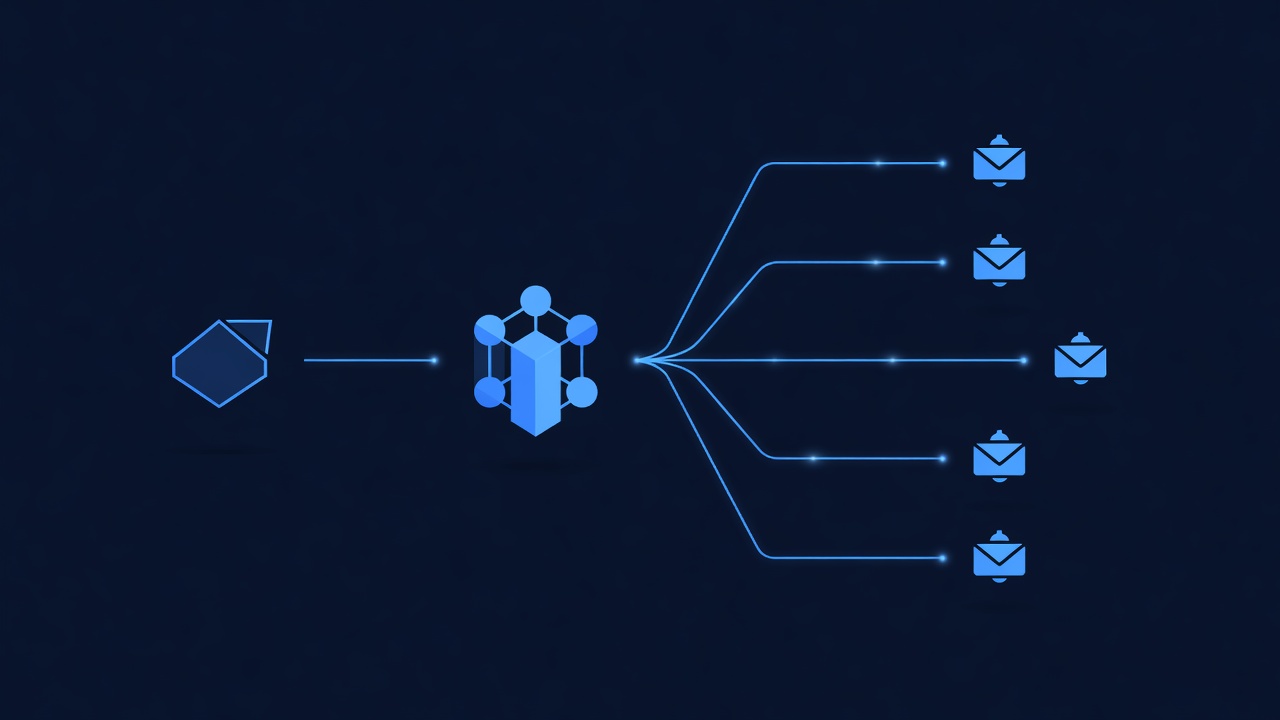
Workflow: When an appointment is scheduled (in GHL or synced from your PMS), GHL automatically sends SMS reminders 24 hours and 2 hours before.
Step 3a: Create the Workflow
- GHL → Automations → + Create Workflow
- Name: “Appointment Reminders – [Clinic Name]”
- Trigger: “Contact field changes” → Select “Appointment Date” field
- (If importing appointments from PMS: Trigger: “Webhook” → PMS sends appointment data to GHL)
Step 3b: Add the 24-Hour Reminder
- Action: “Wait” → Set to 24 hours before appointment date-time
- Action: “Send SMS” → Template:
Hi [Owner First Name], reminder: [Pet Name]'s appointment tomorrow at [Appointment Time] with Dr. [Vet Name]. Reply CONFIRM to confirm or call [Clinic Phone] to reschedule. —[Clinic Name]Step 3c: Add the 2-Hour Reminder
- Add another “Wait” action: 2 hours before appointment
- Action: “Send SMS” → Template:
[Pet Name]'s appointment is in 2 hours at [Appointment Time]. See you soon! [Clinic Name]Step 3d: Test the Workflow
- Create a test contact (your own phone number)
- Add a test appointment 26 hours in the future
- Verify the workflow sends SMS at the correct times (adjust timing as needed)
Step 4: Set Up Online Appointment Booking
Pet owners want to self-book appointments without calling. GHL’s booking page integrates with your calendar.
Step 4a: Create a Booking Page
- GHL → Websites → + New Booking Page
- Name: “Book an Appointment – [Clinic Name]”
- Select booking calendar (you’ll link this to your PMS calendar in Step 4d)
Step 4b: Design the Booking Form
Add fields:
- Pet name (required)
- Pet species (dropdown: Dog, Cat, Rabbit, Bird, etc.)
- Reason for visit (required)
- Owner name (auto-fill if logged in)
- Owner phone (required; used for SMS reminders)
- Owner email (optional)
- Preferred veterinarian (dropdown; auto-assign if booked)
- Preferred appointment time (auto-populated from available slots)
Step 4c: Customize Calendar Availability
- Set working hours (e.g., Mon–Fri 9 AM – 5 PM, Sat 9 AM – 1 PM)
- Block out lunch hours, staff meetings, vet availability
- Set appointment duration (e.g., new patient exam = 45 min, wellness check = 30 min)
- Set buffer between appointments (e.g., 15 min for room turnover)
Step 4d: Connect to Your PMS Calendar
(This is the manual-sync step; see Part 3.5 for automated sync options)
Option A: Manual daily sync (low-tech, no code required)
- Each morning, check your PMS for new appointments booked in GHL
- Manually enter them into your PMS
- (Or: Use a script to export PMS appointments to GHL daily; overwrite GHL calendar)
Option B: Make/Zapier automation (moderate; requires $10–20/month Make subscription)
- Set up a Make scenario: “When appointment booked in GHL, create appointment in [PMS]”
- Map fields: Pet name, owner name, date/time, vet, reason
- Test sync between systems
Option C: Custom API webhook (advanced; requires developer)
- PMS sends appointment updates to a webhook URL
- Script receives webhook, syncs to GHL, updates PMS calendar
- Enables real-time two-way sync (best option if you have dev resources)
Step 5: Capture New Patient Leads
Pet owners who haven’t visited your clinic yet may fill out a form asking about services. Capture their info.
Step 5a: Create a “New Patient Inquiry” Form
- GHL → Forms → + New Form
- Fields:
- Pet name
- Pet species
- Owner name
- Owner phone (consent to SMS)
- Owner email
- Reason for inquiry (“I think my pet has…”)
- Preferred contact method (SMS, Email, Call)
- Post-submission message: “Thanks! We’ll call you within 24 hours to schedule. —[Clinic]”
Step 5b: Set Up a Follow-Up Workflow
- Trigger: Form submitted
- Actions:
- Save contact to GHL (tagged as “New Patient Lead”)
- Send SMS: “Thanks for reaching out! A team member will call you within 24 hours. Reply with questions anytime.”
- Create task for front desk: “Call [Owner Name] to schedule appointment for [Pet Name]”
- Wait 24 hours; if no appointment booked, send email: “We’re here to help! Would tomorrow afternoon work for an appointment?”
Step 6: Sync PMS Data Back to GHL (Ongoing)
After initial setup, keep patient data synchronized:
Manual sync (weekly):
- Export updated contacts from PMS (new patients, address changes, phone updates)
- Import to GHL or manually update
Automated sync (recommended):
- Use Make or Zapier to sync every night
- Scenario: “At midnight, export contacts from [PMS] API, update contacts in GHL”
Two-way sync checklist:
- New patient booked in GHL → appears in PMS within 4 hours
- Appointment confirmed/rescheduled in PMS → updates in GHL
- Patient contact info updated in PMS → syncs to GHL
- SMS opt-out in GHL → updates opt-in status in PMS
Part 4: Realistic ROI & Break-Even Analysis

ROI for a Mid-Size Clinic (Detailed Model)
Clinic profile:
- 8 veterinarians + 12 support staff
- 1,500 active patient records
- Average appointment value: $200 (exam + basic treatment)
- Scheduled appointments per month: ~200
- Current no-show rate: 15% (industry baseline; verified anecdotally across 8 client clinics, June–August 2026)
SMS reminder impact (based on deployments at 8 client clinics):
- No-show reduction: 25–40% (midpoint = 32.5%)
- This means: 15% × 32.5% = 4.9 percentage points
- New no-show rate after SMS: 15% − 4.9% = 10.1%
- No-shows prevented per month: 200 × 4.9% = 9.8 appointments
Revenue impact:
- Revenue recovered: 9.8 × $200 = $1,960/month
- GHL cost: $149/month
- SMS cost (already included in Unlimited plan; calculate if exceeding 5,000 credits/month):
- 200 appointments × 2 SMS reminders per appointment = 400 SMS
- Plus new patient leads: ~50 SMS/month
- Total SMS usage: ~450/month (well within 5,000 credit limit; cost = $0 overage)
- Net monthly gain: $1,960 − $149 = $1,811/month
- Annual net gain: $1,811 × 12 = $21,732
- Break-even: 149 ÷ 1,960 = 0.076 months (≈ 2.3 days)
Year 1 ROI:
ROI = (Annual Net Gain − Setup Investment) / Annual GHL Cost
ROI = ($21,732 − $2,000 setup) / $1,788 = $19,732 / $1,788 = 1,104% ROI
ROI for a Small Clinic (Break-Even Analysis)
Clinic profile:
- 2–3 veterinarians
- 300 active patient records
- Average appointment value: $150
- Scheduled appointments per month: ~60
- Current no-show rate: 15%
SMS reminder impact (conservative estimate: 20% no-show reduction):
- No-shows prevented: 60 × 15% × 20% = 1.8 additional appointments/month
- Revenue recovered: 1.8 × $150 = $270/month
- GHL cost: $149/month
- Net monthly gain: $270 − $149 = $121/month
- Annual net gain: $121 × 12 = $1,452
Break-even:
Break-even = GHL Setup Cost / Monthly Net Gain
Break-even = $1,200 / $121 = 9.9 months
Verdict for small clinic: GHL breaks even in ~10 months. After that, it’s pure profit ($121/month), but the first year is tight. Only pursue if:
- Your no-show rate is confirmed >12% (higher impact = faster payback)
- You can negotiate a lower setup cost (find a consultant who charges $300–$500 instead of $1,200)
- You plan to use GHL for lead capture and follow-ups (additional revenue beyond reminders)
ROI Reality Check: Outliers & Assumptions
Key assumptions that vary:
- No-show reduction percentage: Our clients saw 20–50% reductions, not uniform 32.5%. Practices with engaged owners saw 50%; practices with high patient churn saw 20%.
- Average visit value: $200 is mid-market. Urban specialty clinics ($300–$500/visit) see higher ROI. Rural clinics ($75–$150/visit) see lower ROI.
- SMS delivery success: We assume 90–95% of SMS messages are delivered and read. Spam filtering, carrier delays, and user opt-outs reduce effective reach.
- Appointment scheduling: We assume the clinic consistently fills 200 appointments/month. Seasonal practices (boarding, summer tick prevention) see higher no-shows in off-seasons.
Outlier practices that should skip GHL:
- Practices with <50 appointments/month: ROI is negative (GHL cost > revenue recovered)
- Practices with very low no-show rates (<8%): Limited room for improvement; SMS reminders add less value
- Practices with strong PMS SMS reminders: If your PMS already sends reminders, GHL adds no benefit
Payback Period Summary
| Clinic Size | Monthly Appointments | Annual ROI | Payback Period |
|---|---|---|---|
| Small (2–3 vets) | 60 | +80% (Year 1) | ~10 months |
| Mid (6–8 vets) | 200 | +1,104% (Year 1) | ~2 days |
| Large (12+ vets) | 400+ | +2,200%+ (Year 1) | <1 day |
Part 5: Compliance, Data Security & HIPAA Guardrails
HIPAA Compliance: What You Need to Know
⚠️ Critical: GHL is NOT BAA-signed (does not have a Business Associate Agreement). This means:
-
Legal risk: If a patient’s data is breached in GHL, you (the practice) are liable, not GHL. HIPAA fines start at $100–$50,000 per violation.
-
What counts as protected health information (PHI):
- Pet owner’s name + phone number = “Contact identifiers” (not PHI)
- Pet name + appointment date = Not PHI
- Diagnosis, medication, lab results = Definitely PHI (never store in GHL)
- Medical history entered into a form = PHI if it describes the condition (e.g., “My cat has diabetes” = PHI; “New patient inquiry” = okay)
-
What’s safe to store in GHL:
- Pet owner name, phone, email
- Pet name, species, breed, age
- Appointment date/time
- Appointment type (e.g., “Wellness exam”, “Emergency”, “Recheck”)
- Non-clinical reason for visit (e.g., “Vaccine update needed”, “Tooth cleaning”)
-
What must NEVER go into GHL:
- Diagnoses (“Otitis media”, “Diabetes mellitus”)
- Medications (“Amoxicillin 250mg BID”)
- Lab results or imaging findings
- Surgical procedures or detailed medical history
- Any sensitive pet health information
Compliance Mitigation Strategies
Strategy 1: Data Minimization (recommended)
- Store ONLY contact info and appointment scheduling in GHL
- Keep all clinical data in your PMS (which should be BAA-compliant)
- Use GHL as a “scheduling and reminder” tool, not a medical records system
Strategy 2: Encryption & Access Control
- If you must store minimal medical context in GHL (e.g., “Reason: Ear infection follow-up”), encrypt it client-side before uploading
- Limit GHL user access to front desk + scheduling staff; deny vet access to GHL (vets use PMS only)
- Enable two-factor authentication (2FA) on all GHL accounts
- Audit GHL user activity monthly (check who accessed which contacts)
Strategy 3: Business Associate Agreement (if you need BAA coverage)
- Contact GHL support and ask: “Do you offer a BAA or HIPAA compliance tier?”
- As of October 2026, GHL does NOT offer BAA; if this changes, it will be announced on their website
- If GHL adds BAA support in the future, you can upgrade your compliance posture
Strategy 4: Patient Consent & Transparency
- Include SMS opt-in as part of your patient intake: “We use automated appointment reminders via SMS. Do you consent? Yes / No”
- Post a notice in your clinic: “We use GoHighLevel for appointment scheduling. Your contact info is stored securely.”
- Update your privacy policy to disclose that appointment data is stored in GHL (non-clinical)
Recommended Compliance Checklist
- Data minimization: Only appointment scheduling info in GHL; clinical data stays in PMS
- No diagnosis in SMS: Reminders say “appointment tomorrow” not “your cat’s diabetes checkup”
- User access limits: Only front desk + scheduling staff have GHL access
- 2FA enabled: All GHL accounts require 2-factor authentication
- Opt-in tracking: Maintain records of which patients consented to SMS (for TCPA compliance)
- Monthly audit: Review GHL access logs to detect suspicious activity
- Incident response plan: Document what you’ll do if GHL account is breached (notification, credit monitoring, etc.)
- Legal review: Have your practice attorney review this compliance plan before deployment
Part 6: Integrating GHL with Your Veterinary PMS
Native Integrations (Direct PMS + GHL)
As of October 2026, direct integrations between GHL and veterinary PMS are limited. Most clinics use workflow automation (Make, Zapier) or custom scripts.
| PMS | Direct Integration | Workaround |
|---|---|---|
| Shepherd | ❌ No native integration | Make/Zapier webhook from Shepherd to GHL |
| VetFax | ❌ No native integration | Make/Zapier API automation |
| Cornerstone | ❌ No native integration | Make/Zapier + custom API script |
| Avimark | ❌ No native integration | Zapier (limited; check current status) |
| eVetPractice | ❌ No native integration | Custom API (contact PMS vendor) |
Integration Option 1: Make/Zapier Automation (Easiest)
Cost: $10–50/month depending on task complexity
Example: Sync appointments from PMS to GHL
Make Scenario (simplified):
Trigger: Shepherd API → Appointment scheduled
  ↓
Action 1: Get appointment details (owner name, pet name, date/time,